
This article is a due diligence checklist for founders, marketers, and operators on a B2B SaaS team who want to put a product, documentation site, or campaign on an expired domain. You should leave with a repeatable sequence of checks and a clear rule for when to walk away, before you wire the name into DNS, email, or a sales deck.
Eight checks decide whether an expired domain name is fit to host a B2B SaaS product, documentation site, or campaign microsite.
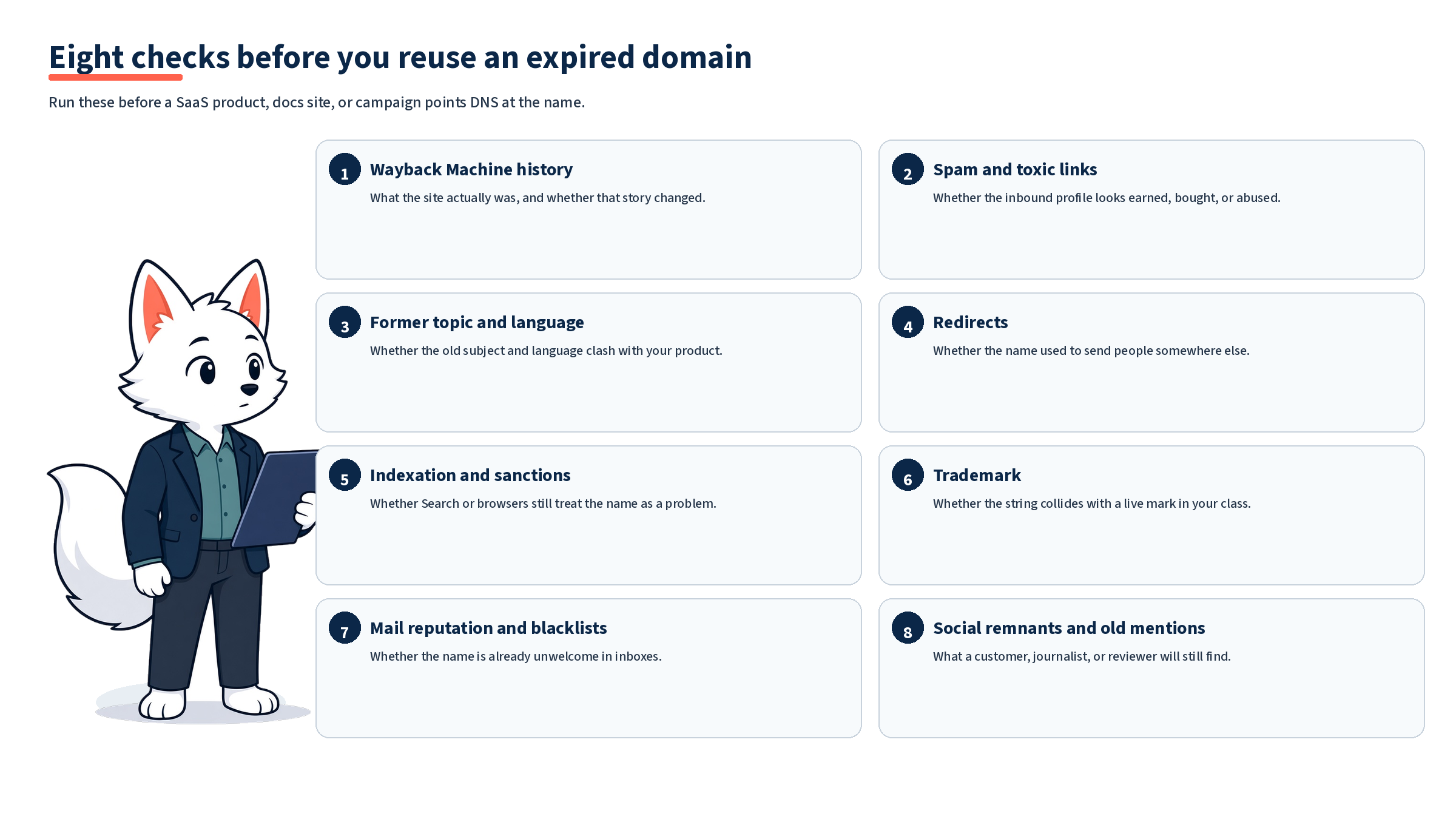
Before anyone changes DNS, review Internet Archive Wayback Machine history, leftover spam and toxic links, the former topic and language, redirect chains, indexation and sanction signals, trademark conflict, mailbox reputation and domain blacklists, and remnants on social profiles and old mentions. The output is a go, pause, or walk-away decision.
| Check | What you are trying to learn |
| Wayback Machine history | What the site actually was, and whether that story changed in ugly ways |
| Spam and toxic links | Whether the inbound profile looks earned, bought, or abused |
| Former topic and language | Whether the old subject and language clash with your product |
| Redirects | Whether the name used to send people somewhere else |
| Indexation and sanctions | Whether Search or browsers still treat the name as a problem |
| Trademark | Whether the string collides with a live mark in your class |
| Mail reputation and blacklists | Whether the name is already unwelcome in inboxes |
| Social remnants and old mentions | What a customer, journalist, or reviewer will still find |
An expired domain can be a practical asset: the name is short, the TLD fits, or it matches a feature you are about to launch. It can also import a previous owner’s problems.
For a SaaS team, those problems show up in places SEO checklists often skip, including transactional email, trademark complaints, leftover social profiles, and a sales conversation that starts with “weren’t you a gambling site last year?
Why a SaaS team cannot treat this as a ranking shortcut
Google’s spam policies describe expired domain abuse as buying a lapsed name and repurposing it mainly to manipulate search rankings with content that gives users little value.
Google’s examples include casino content on a former school site, or commercial medical offers on a former charity domain. In a March 2024 announcement, Google also said it is fine to use an old domain for a new, original site that is designed to serve people first.
That line matters. A real product, a real docs site, or a real campaign can be a legitimate new use of an old name. A thin microsite whose only job is to inherit leftover rankings is the use Google is trying to catch. The checks below still apply in the legitimate case, because brand, email, and legal risk do not wait for a ranking penalty.
8 Ways to Vet An Expired Domain Before Building On It
At Karma.Domains we keep 13M+ expired and auction names, drawn from 49 lists from 32 platforms. The work that actually changes a buying decision is rarely a single metric. It is the story you can reconstruct from archives, links, trademarks, and mail.
1. Read the history in the Wayback Machine
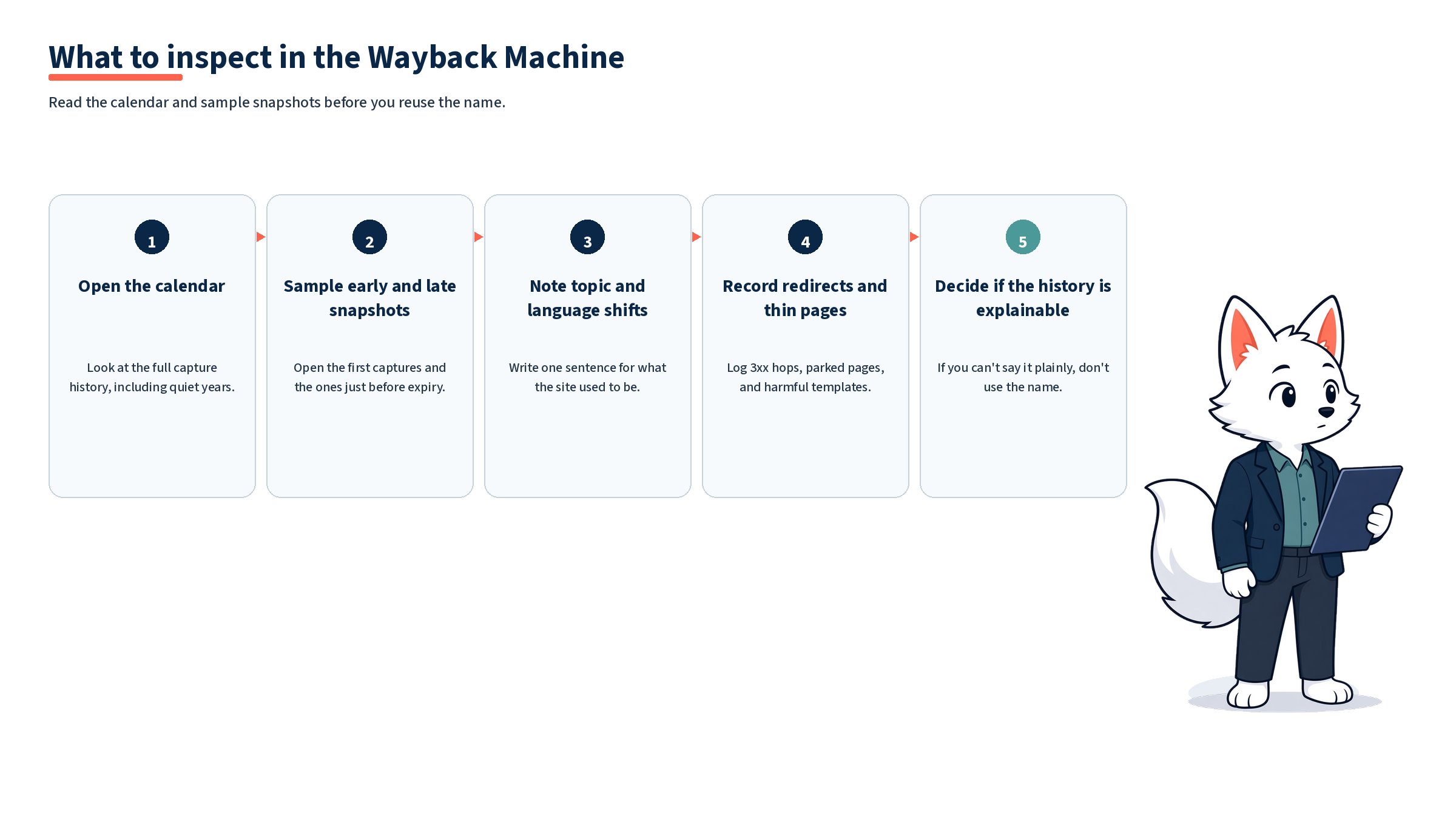
Start with the Internet Archive Wayback Machine. Enter the bare domain and read the full calendar, including early captures and the ones just before expiry.
Look for:
- Long stretches of a coherent site, then a sudden change of topic, language, or quality
- Parked pages, “for sale” placeholders, or doorways stuffed with ads
- Hacked-looking templates, injected pharma or crypto pages, or login clones
- Periods with no snapshots at all, which is a gap you should try to explain, not ignore
- Titles, nav, and footer text that name a different company than the one selling the domain today
Open several snapshots, not only the most recent one. If the archive shows a redirect, note the destination; you will need it in the redirect check.
A missing archive is not proof of a clean history. Some sites were never crawled much. A dense calendar full of thin or harmful pages is a clearer warning than an empty one.
If you want a structured view of the same Internet Archive snapshots, the Karma.Domains Web Archive tab in a domain report summarizes first and last captures, HTTP status, and recorded redirects. It is a map. You still need to open the snapshots yourself.
2. Look at spam and toxic links, then treat the numbers as signals
A high domain-rating or authority score does not mean the name is safe to put a product on. Those scores describe a model of the link graph. They do not tell you whether the links were earned by a real company or attached later to dress the name for resale.
On a shortlist, open a backlink report in a tool you already trust, such as Ahrefs, Semrush, Moz, or Majestic, and read a sample of referring domains and anchors by hand. Pay attention to:
- Anchors that look like ads, “cheap casino,” pharma terms, or exact-match money phrases that have nothing to do with the old site
- Sudden spikes in referring domains near the end of the previous life
- Links from sites that have no topical reason to mention the old business
- Large numbers of sitewide, widget, or comment links
A messy profile is a reason to pause, not an automatic no. Dead directories and leftover mentions from a real shutdown can look ugly without being a setup for spam. The question is whether you can explain the links in light of the archive story. If the two disagree, believe the archive and the raw referring pages over the headline metric.
3. Check the former topic and language
Write down, in one sentence, what the domain used to be, in which language, and for which audience. Then write the same sentence for the site you want to put on it.
A modest mismatch is normal. A defunct conference site can become a product name. A hard mismatch is a problem: a former adult, gambling, pharmaceutical, or piracy site sitting under a B2B docs hostname, or a local-language consumer brand reused for an English-language SaaS app that will still inherit old search snippets and incoming bookmarks.
Google’s own expired-domain examples are mostly about this kind of mismatch, because it is a common way to borrow a reputation the new content did not earn. Even if your new site is genuine, customers and journalists will still find the old snapshots and the old mentions. If you can’t explain the change in one plain sentence, don’t use the name for a product or for docs that will live for years.
Campaign microsites have a slightly higher tolerance, because they are temporary. They have a lower tolerance for anything that could attach your brand to a previous scandal.
4. Follow the redirects
Redirects hide in two places: the archive (3xx status codes and “this snapshot redirected to…”) and current DNS or HTTP behavior if the name still resolves.
Record every destination you find, including hops. Ask:
- Did the old site redirect to a different live product, an affiliate offer, a parked page, or a spam host?
- Did many paths collapse onto one URL, in the pattern of a doorway?
- Is the name still redirecting right now, and if so, to whom?
If you later buy the domain, do not keep a leftover redirect into your product or docs just to harvest residual traffic. If those URLs used to sell something unrelated, pointing them at your app is close to the abuse pattern Google already described. Use redirects only when you are continuing the same site for the same users, and follow Google’s site move guidance if you are relocating a property you already own.
5. Look for sanctions, warnings, and deindex signals
You usually can’t open Google Search Console for a domain you don’t yet own, so you won’t see the official manual actions or security issues reports until after purchase. You can still gather public signals.
Check the domain and a few historical URLs in the Google Safe Browsing transparency report. A current “unsafe” or malware/phishing label is a walk-away for a product or docs hostname. Even after a listing is cleared, treat it as a fact you must be ready to explain.
Search for the exact domain in Google, in quotes, and also try a site: query. Look at:
- Whether anything is still indexed, and whether the titles and snippets belong to the old site, to spam, or to a parked page
- Cached pages or sitelinks that still describe a different business
- Warning labels in the results
A blank site: result is ambiguous. The name may have dropped out of the index after expiry, or it may have been pushed out for quality or safety reasons you cannot see yet. Do not treat “nothing is indexed” as a green light. After you buy, verify the property in Search Console as soon as DNS is yours, then read the Manual actions and Security issues reports before you launch.
6. Run a trademark check on the string itself
Treat the domain label as a brand candidate. Search the exact string, close variants, and typographical lookalikes in the USPTO Trademark Search system if you sell to US customers, and in the WIPO Global Brand Database for a broader first pass. Check the countries where you actually sell, not only the country of the registrar.
Ask counsel to review any live mark that looks or sounds like your intended name and covers related goods or services. The USPTO’s own search guidance frames the basic test as confusing similarity plus related goods or services. A cheap domain that collides with a live mark is expensive.
Also search the company name, product name, and executives attached to the old site. You want to know whether you are about to step into an existing dispute, a bankruptcy, or a residual claim on the name.
7. Check mailbox reputation and blacklists
If the domain will send sign-up confirmations, invoices, product updates, or support mail, its earlier mail life is part of the purchase. A blocked or poorly regarded sending name can stall onboarding even when the website looks fine.
Look up the domain in the Spamhaus Domain Block List checker. A current DBL listing is a serious problem for a product hostname. Check the same name against any other blocklists your email vendor already uses, and look at historical MX records if you have access to a WHOIS or DNS history tool, so you know whether the name used to point at a shared spam-friendly mail host.
After purchase, do not “warm up” the new name by blasting a purchased list. Stand up SPF, DKIM, and DMARC from scratch, use a dedicated subdomain for mail if your main hostname has a stained past, and watch Google Postmaster Tools once volume exists. If the root name is listed or heavily stained, it is often cheaper to keep the name for a parked brand and send mail from a clean subdomain or a different domain.
8. Hunt down social remnants and old mentions
People will search the name. You should do that work first.
Search the exact domain, the old product name, and the old company name in Google, news search, and the usual social networks. Then look for leftover accounts and listings: X, LinkedIn company pages, Facebook pages, YouTube channels, GitHub organizations, app stores, G2 or Capterra profiles, and support forums.
You are looking for:
- Angry threads about billing, data loss, or a sudden shutdown
- “Is this a scam?” posts that will still rank next to your new site
- Old help-center or status-page URLs that still get traffic
- Official-looking social accounts you will not control on day one
If the previous operator left a public mess, you need a plan for it: a short, factual note on a legal or about page, a request to platforms to retire or transfer leftover accounts, and a decision about whether your brand can live next to that residue. If the residue is severe, use a different name.
What to do after you buy
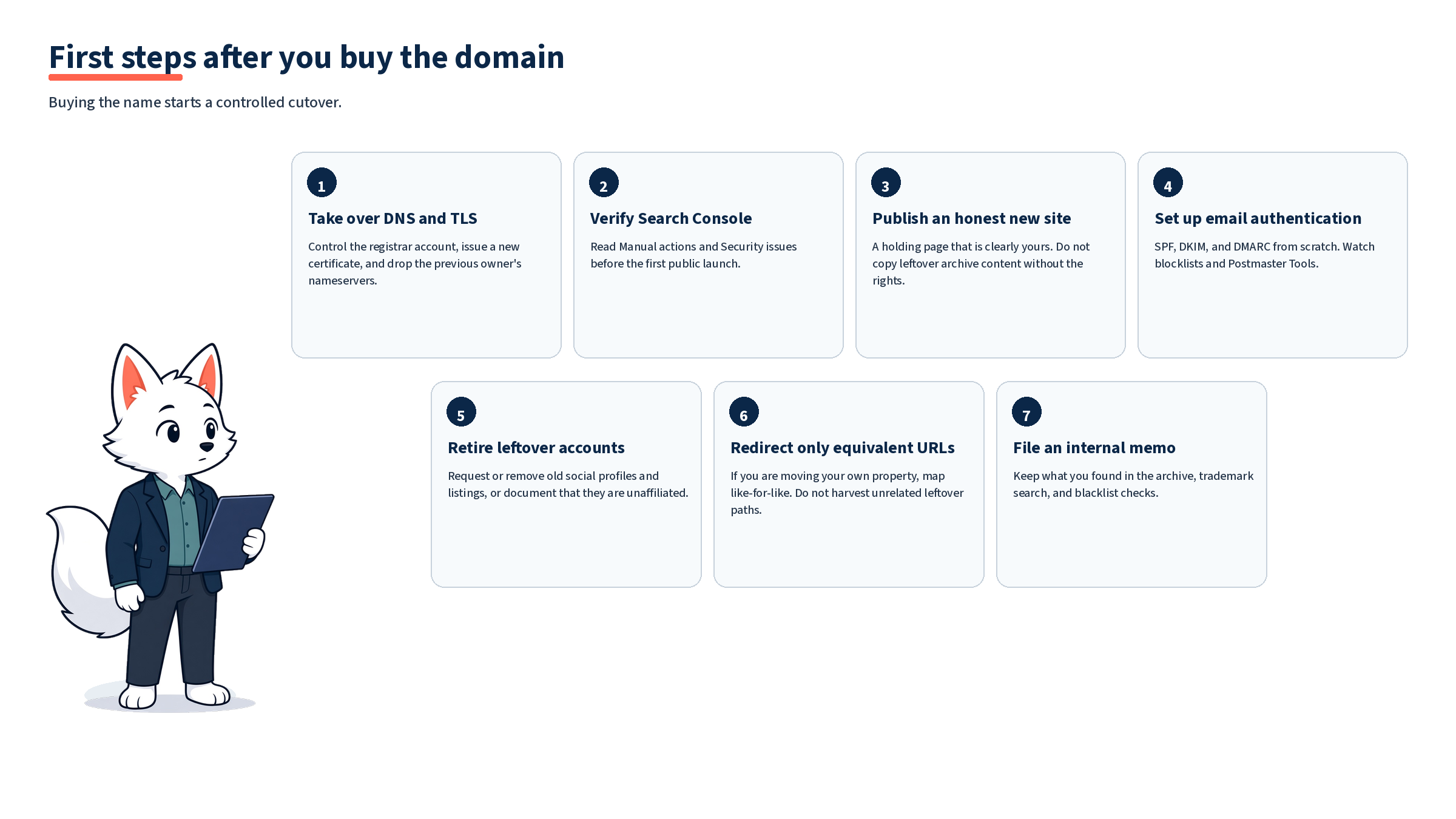
Buying the name is the start of a controlled cutover, not the end of diligence.
1. Move DNS only when you control the registrar account and have a written record of the transfer. Issue a new TLS certificate. Do not reuse the previous owner’s nameservers or mail exchangers.
2. Verify the domain in Google Search Console as soon as you can, then read Manual actions and Security issues before the first public launch. If a manual action exists, fix the underlying problem and use Google’s reconsideration process; do not launch a product on top of it and hope it ages out.
3. Publish a simple new site or a holding page that is honestly yours. Do not copy leftover content from the archive unless you have the rights and a reason.
4. Set SPF, DKIM, and DMARC, then send only real transactional mail. Watch blocklists and Postmaster Tools during the first weeks.
5. Request or remove leftover social accounts and old business listings. If you cannot take them over, document that they are unaffiliated.
6. If you are moving an existing SaaS property onto the new name, follow Google’s site-move guidance and redirect old URLs to their equivalent new ones. If the expired domain’s old URLs have nothing to do with your product, do not map them into your app as a shortcut.
7. Keep a short internal memo of what you found in the archive, the trademark search, and the blacklist checks. The next person who asks “why this domain?” should not have to repeat the work from zero.
A simple rule for the final call
I wouldn’t put a product or docs hostname on a name with a current Safe Browsing or Spamhaus DBL listing, or an archive story I can’t explain in one sentence. I might accept more residue on a short-lived campaign subdomain, and only after legal has cleared the trademark and we have a written rollback.
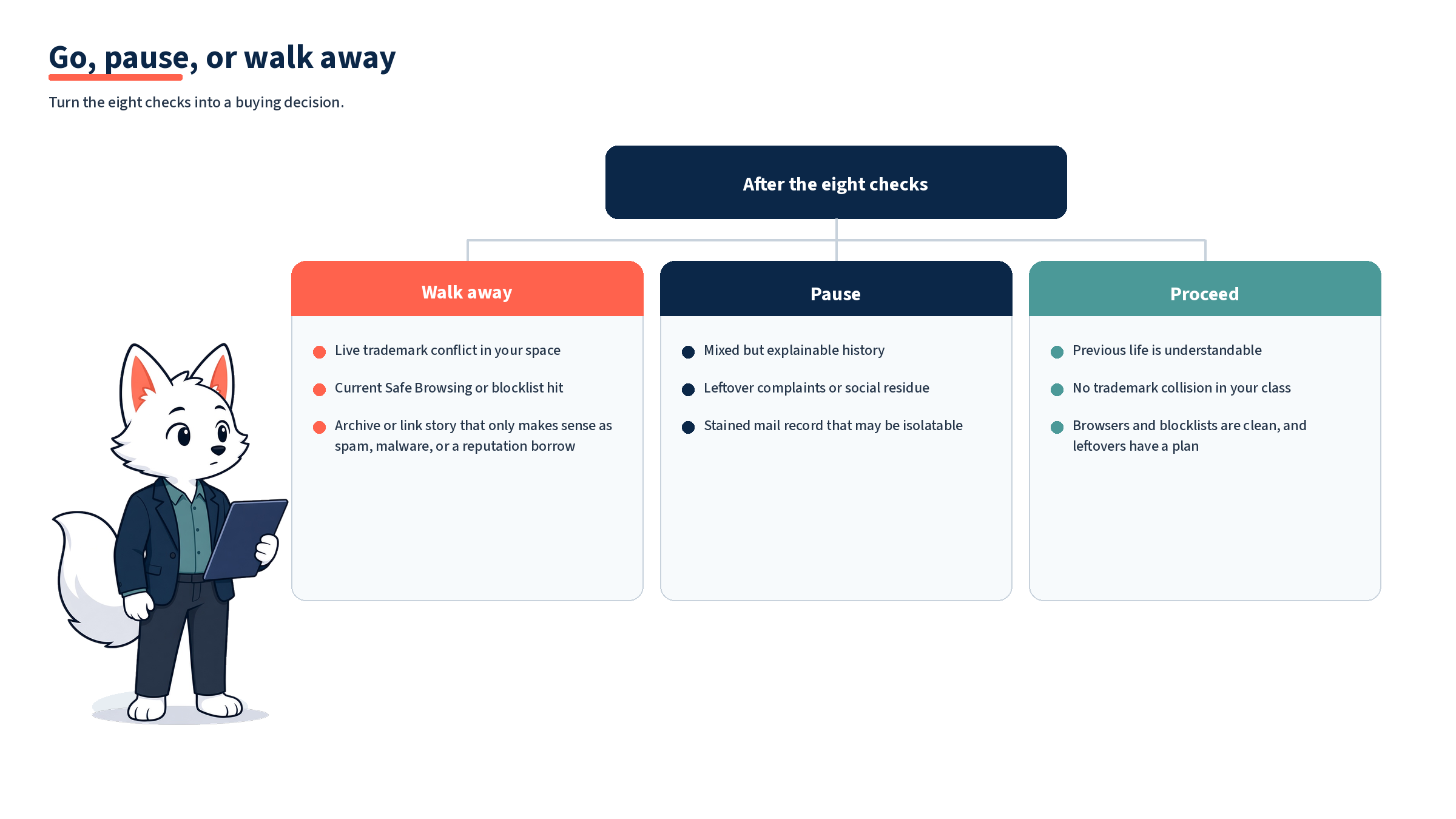
Walk away if you find a live trademark conflict in your space, a current safety or blocklist hit you cannot clear, or an archive-and-link story that only makes sense as spam, malware, or a reputation borrow. Pause and get legal or security review if the history is mixed: a real old business, plus complaints, a stained mail record, or a topic change you can explain but cannot hide. Proceed when the previous life is understandable, the name is clear of trademark trouble, browsers and blocklists are clean, and you have a plan for leftovers.
If a name fails these checks, drop it even when the string is otherwise perfect. A product hostname is hard to change later, and a campaign is easier to redo than a trademark complaint or a blocked signup email.

Lucy Kim is Co-founder and CEO of Karma.Domains, a Singapore company founded in 2025 with a team of four.