
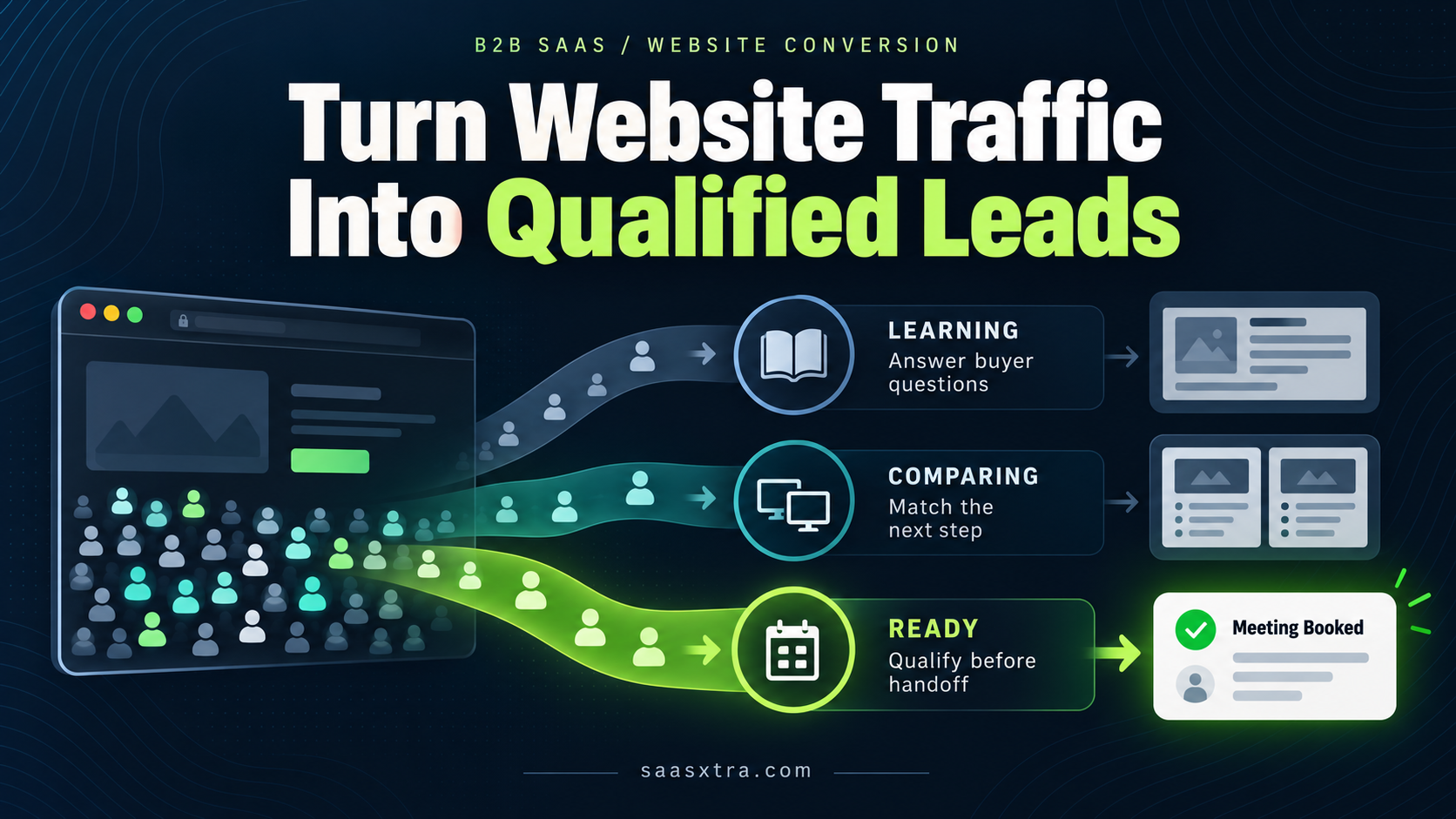
B2B SaaS companies turn website traffic into qualified leads by doing three things on the site itself. They answer the questions buyers research before talking to sales. They give each type of visitor a next step that fits their intent. And they qualify leads before handing them over, so sales spends time on real opportunities.
That matters more each year, because buyers now do most of the work alone. In a Gartner survey of 646 B2B buyers, published in March 2026, 67% said they prefer a buying experience with no sales rep involved. And 6sense’s 2025 Buyer Experience Report, based on more than 4,000 buyers, found that 94% of buying groups had ranked their preferred vendors before first contact. They bought from that early favorite 77% of the time.
In other words, your website often makes the case before your sales team knows the buyer exists. Here is how to make that work in your favor.
What Counts as a Qualified Lead?
A qualified lead is a contact who fits your ideal customer profile and has shown real buying intent. Fit is about who they are: company size, industry, role, and tech stack. Intent is about what they do: visiting pricing, requesting a demo, or using key features in a trial.
Most SaaS teams use three labels:
| Lead type | What it means | Typical signal |
| Marketing-qualified lead (MQL) | Good fit, early interest | Downloads a guide, returns to pricing |
| Sales-qualified lead (SQL) | Sales has confirmed fit and need | Demo request from a target account |
| Product-qualified lead (PQL) | Trial or free user showing buying behavior | Invites teammates, hits a usage limit |
Write these definitions down with sales before you change the website. If marketing counts every form fill as a lead and sales only wants booked demos, both teams will judge the same traffic differently. A simple scoring model helps here; this guide to lead scoring explains how to weigh fit and behavior.
How to Turn Website Traffic Into Qualified Leads
Step 1: Match Each Page to Visitor Intent
Not every visitor is ready to talk. Someone reading a blog post about a problem is in a different place from someone comparing your pricing tiers. Asking both for a demo wastes the first visit and annoys the second.
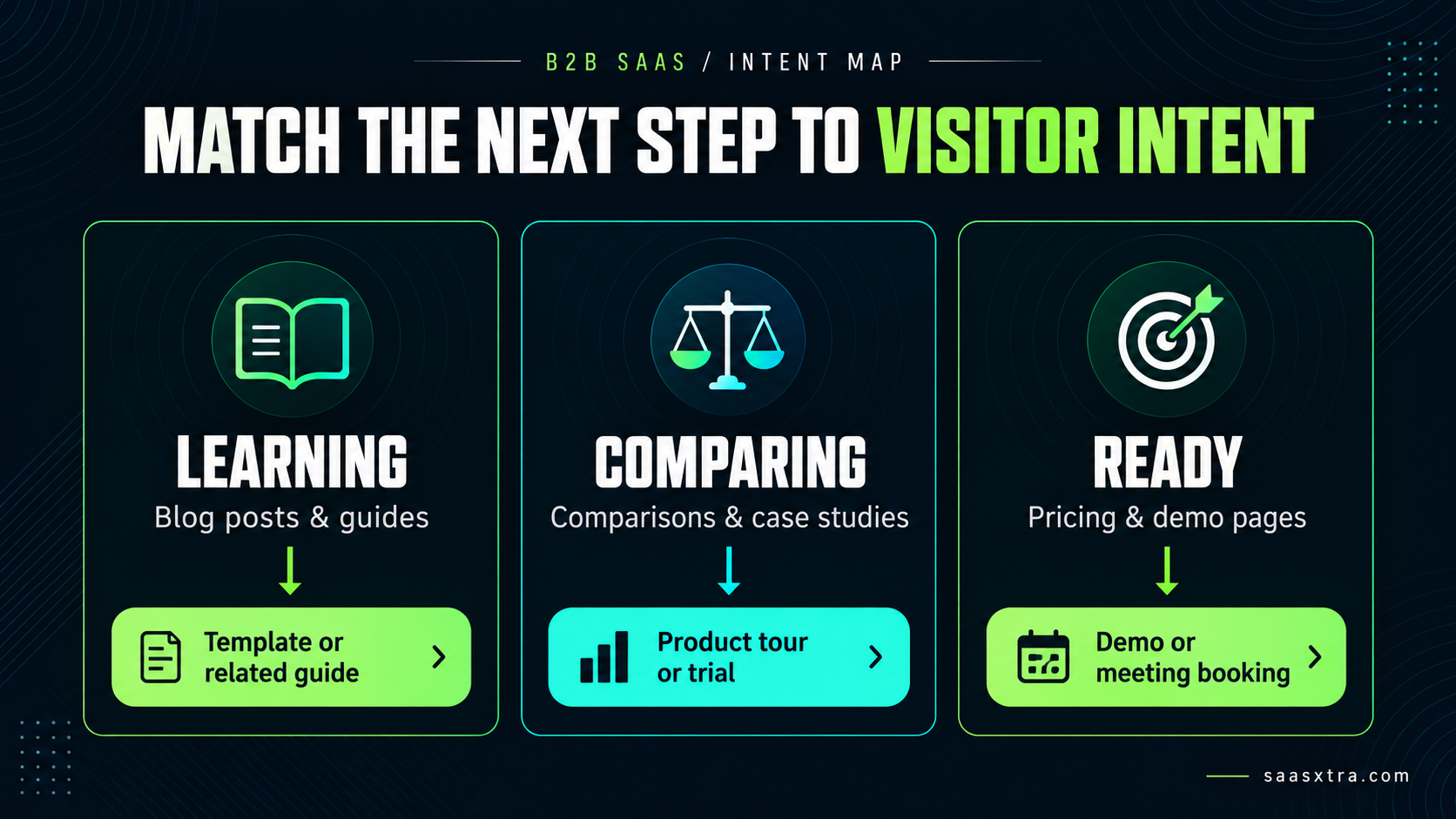
Group your pages by the intent behind them, then give each group one clear next step:
| Visitor intent | Pages they usually land on | Best next step |
| Learning about the problem | Blog posts, guides, glossary pages | Newsletter, template, or related guide |
| Comparing solutions | Comparison pages, case studies, integrations | Product tour, trial, or case study |
| Ready to evaluate | Pricing, demo, security, and plan pages | Demo request or meeting booking |
Turning website traffic into qualified leads also depends on attracting the right visitors. Content that targets problem and comparison searches brings in visitors who can become customers. If you’re planning that content, this B2B SaaS SEO strategy walks through mapping keywords to each buying stage.
Step 2: Answer What Buyers Check Before They Call
Buyers who shortlist vendors on their own need facts they can find without asking. When they can’t find them, they either contact you with basic questions or move on to a competitor who made the answer easy.
The 6sense report shows this clearly with AI features. It found that 89% of purchases included AI features, and 58% of buyers contacted sellers earlier than planned just to clarify missing AI details. That is a website problem, not a sales problem.
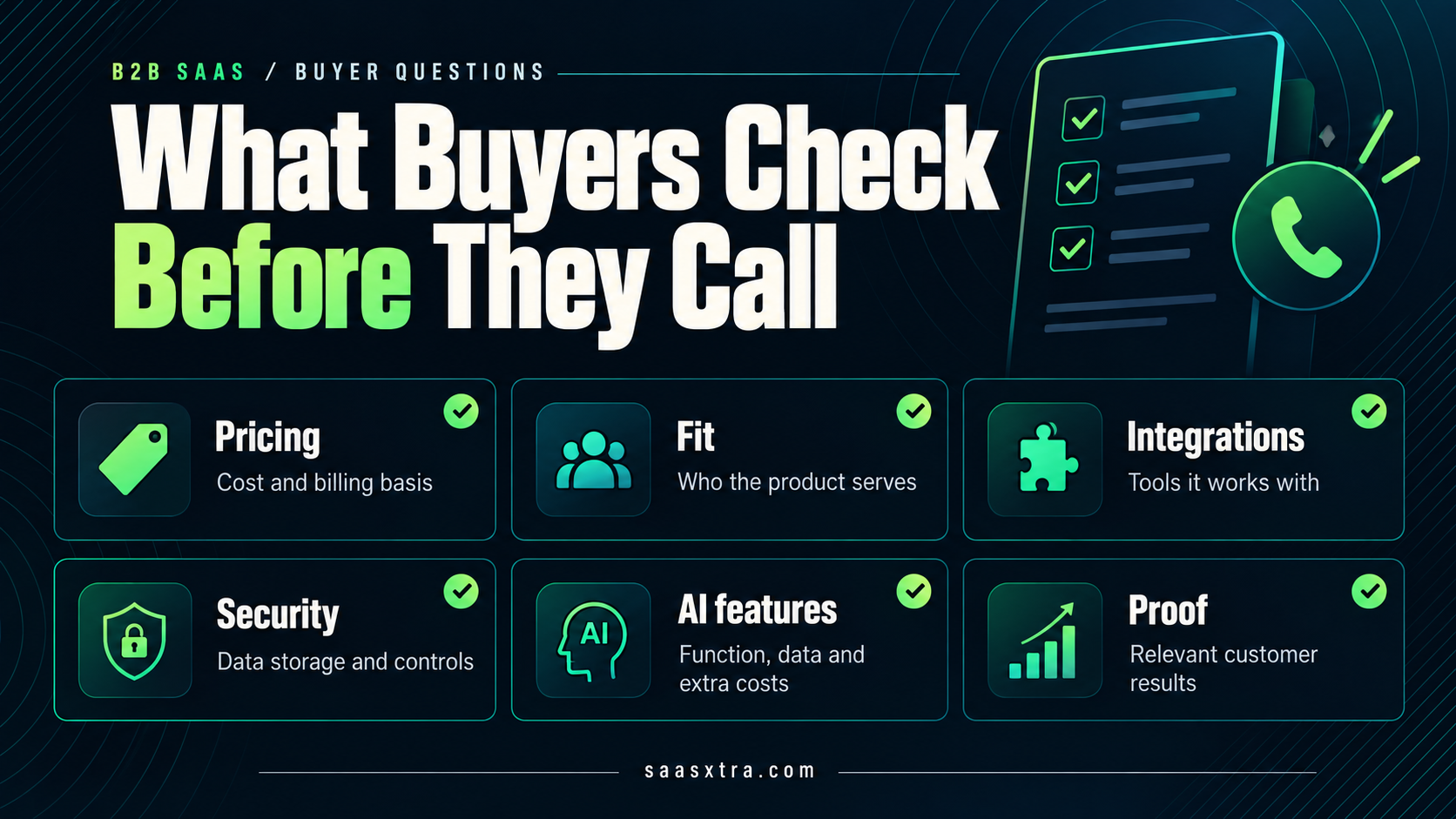
Before you add more calls to action, make sure your site answers these questions plainly:
- Pricing: What does it cost, or at least how is it priced? Per seat, usage-based, or custom?
- Fit: Who is this built for, and who is it not for?
- Integrations: Does it work with the CRM, data warehouse, or tools the buyer already uses?
- Security and data: Where is data stored, and what certifications or controls apply?
- AI features: What does the AI actually do, what data does it use, and does it cost extra?
- Proof: Which customers like them use it, and what changed for them?
Each clear answer removes a reason to leave. It also means the people who do contact you are better informed and closer to a decision.
Step 3: Offer More Than One Way to Convert
A single “Book a demo” button asks every visitor to make the biggest commitment first. Many qualified buyers aren’t ready for that, especially when most would rather avoid a sales call.
Offer a ladder of options instead, from low effort to high:
- Interactive product tour. Lets buyers see the product with no form or with a short one.
- Free trial or freemium plan. Lets buyers prove value themselves and creates product-qualified leads.
- Calculator or template. Gives something useful in exchange for an email, and the answers reveal fit.
- Demo or meeting booking. For ready buyers, with a calendar right on the page.
Keep the high-intent option visible on every page that signals buying intent, such as pricing and comparison pages. On blog posts, lead with the lighter options.
Step 4: Build Forms That Qualify Without Scaring People Off
Forms are where traffic becomes a lead, and where many good buyers drop off. The goal is to collect enough to route the lead well, and no more.
Ask only for what your team will actually use. Work email and company name are usually enough to identify an account, and enrichment tools can fill in company size and industry. Then add one or two questions that change what happens next, such as team size or main use case.
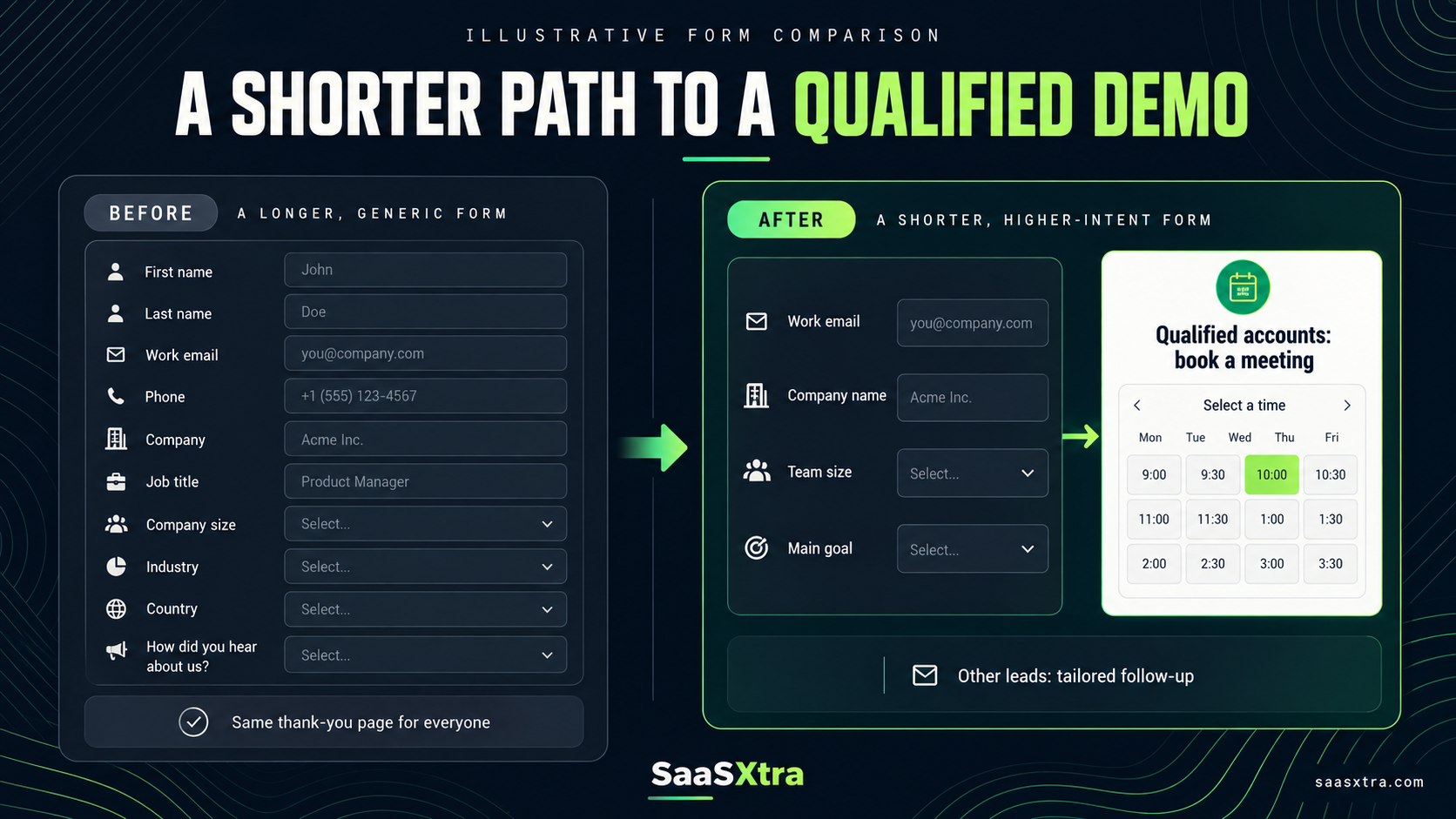
Here is an illustrative before-and-after for a demo request form:
| Before | After |
| First name, last name, work email, phone, company, job title, company size, industry, country, “How did you hear about us?” | Work email, company name, team size (dropdown), main goal (dropdown) |
| Same thank-you page for everyone | Qualified accounts see a calendar to book right away; others get a tailored follow-up email |
Behind the form, use hidden fields to capture the page, source, and campaign. Without them, you can’t tell which content produced your best leads.
Step 5: Route and Respond While Interest Is High
A qualified lead that waits two days for a reply is no longer as qualified. Set a response time target for each lead type and make the website do part of the work.
- Instant booking: Let leads that match your fit criteria book a meeting on the thank-you page.
- Rules-based routing: Send leads to the right rep by region, segment, or account owner automatically.
- Nurture for non-fit leads: Send helpful content instead of a sales call, and let scoring flag them later.
- Context for sales: Pass the pages viewed and form answers into the CRM so the first call starts informed.
If your CRM can’t handle routing and lead records cleanly, compare options in this roundup of CRM software for small B2B teams.
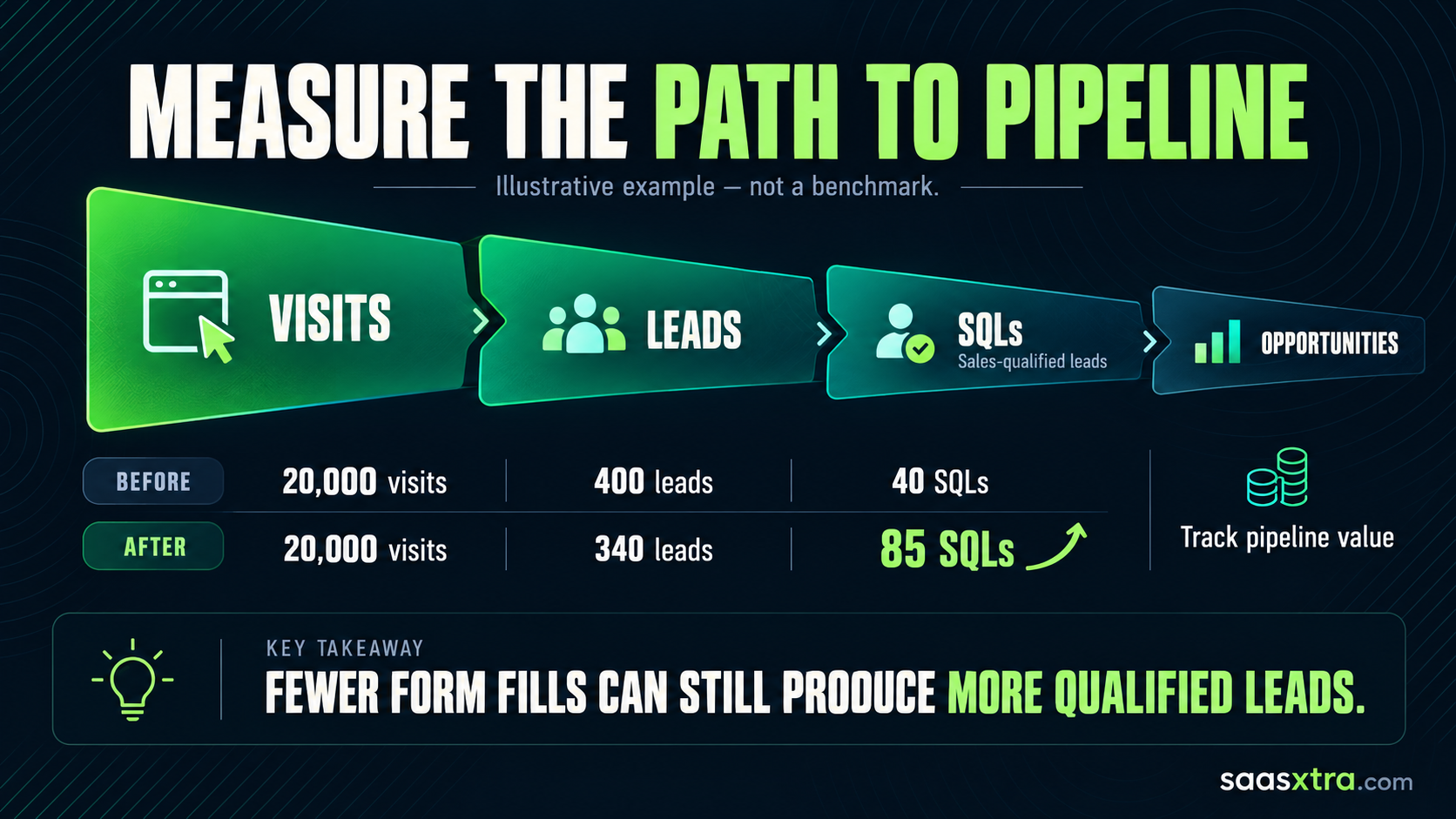
Step 6: Measure Pipeline, Not Form Fills
Counting form submissions tells you how busy the website is. It doesn’t tell you whether the website is working. Track each step from opportunity visit, split by page type and source:
- Visitor-to-lead rate by page type (blog, comparison, pricing).
- Lead-to-SQL rate, to see how many leads sales accepts.
- SQL-to-opportunity rate and pipeline value by source.
- Time from form submission to first response.
For example, a website gets 20,000 visits a month and 400 form fills, a 2% conversion rate. Sales accepts 40 of them, so only 10% become SQLs. After shortening the demo form and adding instant booking for fit accounts, form fills drop to 340. But sales now accepts 85, or 25%. The site produces fewer leads and more than twice as many qualified ones.
That is the trade you want. The aim is to convert website traffic into qualified leads, not into a bigger contact list.
A 30-Day Plan to Get Started
You don’t need a full redesign to turn more website traffic into qualified leads. Start with the pages closest to revenue:
- Week 1: Agree on MQL, SQL, and PQL definitions with sales. Pull last quarter’s leads and note which pages produced the ones that closed.
- Week 2: Review your pricing, demo, and top comparison pages against the six buyer questions above. Fill the gaps.
- Week 3: Shorten your demo form, add hidden source fields, and add instant booking for fit accounts.
- Week 4: Set routing rules and response targets, then build a simple report from visit to opportunity.
Review the numbers after 60 days. If lead volume dips but SQLs rise, the changes are doing their job.
Frequently Asked Questions
What Is a Good Conversion Rate for a B2B SaaS Website?
It varies widely by page type, traffic source, and price point, so a single benchmark can mislead. Compare your pricing and demo pages against their own history, and track lead-to-SQL rate alongside conversion rate.
Should B2B SaaS Companies Gate Their Content?
Gate selectively. Keep educational content open so buyers can research freely, and reserve forms for tools or resources valuable enough to trade an email for, such as templates or calculators.
How Do You Qualify Leads on a Website Without a Sales Call?
Combine a short form with one or two qualifying questions, data enrichment, and behavior signals such as pricing page visits or trial usage. A lead scoring model then decides who gets a meeting and who gets nurtured.

James Hammer writes about website strategy, SEO, and lead generation at Massive Designs, a Texas web design agency based in North Richland Hills. His work focuses on helping growing businesses build websites that turn visitors into sales conversations.