
If you are looking for free hosting for static websites, you have more genuinely good options than ever before and fewer excuses to pay for something you do not need to.
The landscape has shifted significantly. Gatsby Cloud shut down in 2023. Netlify overhauled its entire pricing model in September 2025 with a new credit-based system. Vercel quietly tightened its Hobby plan rules around commercial use. And Cloudflare Pages has emerged as the standout free tier in the category, with unlimited bandwidth and no catch.
This guide cuts through the noise. We tested and verified every platform on this list in 2026, checked their current free-tier limits against official documentation, and removed any option that is no longer active or relevant.
What you get here is an accurate, up-to-date comparison of the best free static site hosting options available right now.
What Is a Static Website?
A static website is made up of pre-built HTML, CSS, and JavaScript files. There is no server-side processing, no database query on every page load, and no dynamic content generated at runtime. When a visitor requests a page, the server sends the file exactly as stored, and the browser renders it.
This makes static websites fast, cheap to host, and inherently secure. There are no server vulnerabilities to patch, no database connections to manage, and no runtime errors from a backend framework.
Static websites are ideal for:
- Personal portfolios and resumes
- Business landing pages and marketing sites
- Documentation sites
- Blogs (using static site generators like Hugo, Jekyll, Astro, or Eleventy)
- Open-source project sites
- MVP prototypes and side projects
If your site does not require user login sessions, real-time data updates, or server-side form processing, a static site is almost certainly the right architecture, and free hosting is available for it.
What Is Static Hosting?
Static hosting is a category of web hosting purpose-built for static websites. Instead of provisioning a server that runs application code, static hosts store your pre-built files on a globally distributed CDN (Content Delivery Network) and serve them directly to visitors from the nearest edge location.
Because there is no backend compute happening on every request, static hosting is dramatically cheaper to operate than traditional web hosting. That is why so many platforms can afford to offer genuinely free tiers with no bandwidth caps and no time limits.

How to Choose Free Static Site Hosting
Before comparing platforms, it helps to know what to look for. The key criteria for any static host are:
Bandwidth limits. Some free tiers cap you at 100 GB per month. That sounds generous until a blog post goes viral. Cloudflare Pages is currently the only major free host with truly unlimited bandwidth.
Build minutes. If you use a static site generator (SSG) like Hugo or Astro, your host needs to build your site on every push. Free build minute limits vary widely.
Custom domain support. Most free tiers allow you to connect your own domain. Verify this before committing.
SSL certificate. HTTPS should be included and automatic on any host you consider in 2026.
Commercial use. Vercel’s Hobby (free) plan explicitly prohibits commercial use. If you are hosting a business site, you need to know this upfront.
CDN coverage. Where are the edge nodes? A host with 300+ edge locations will load faster globally than one with a handful of US data centers.
The 12 Best Free Static Site Hosting Platforms
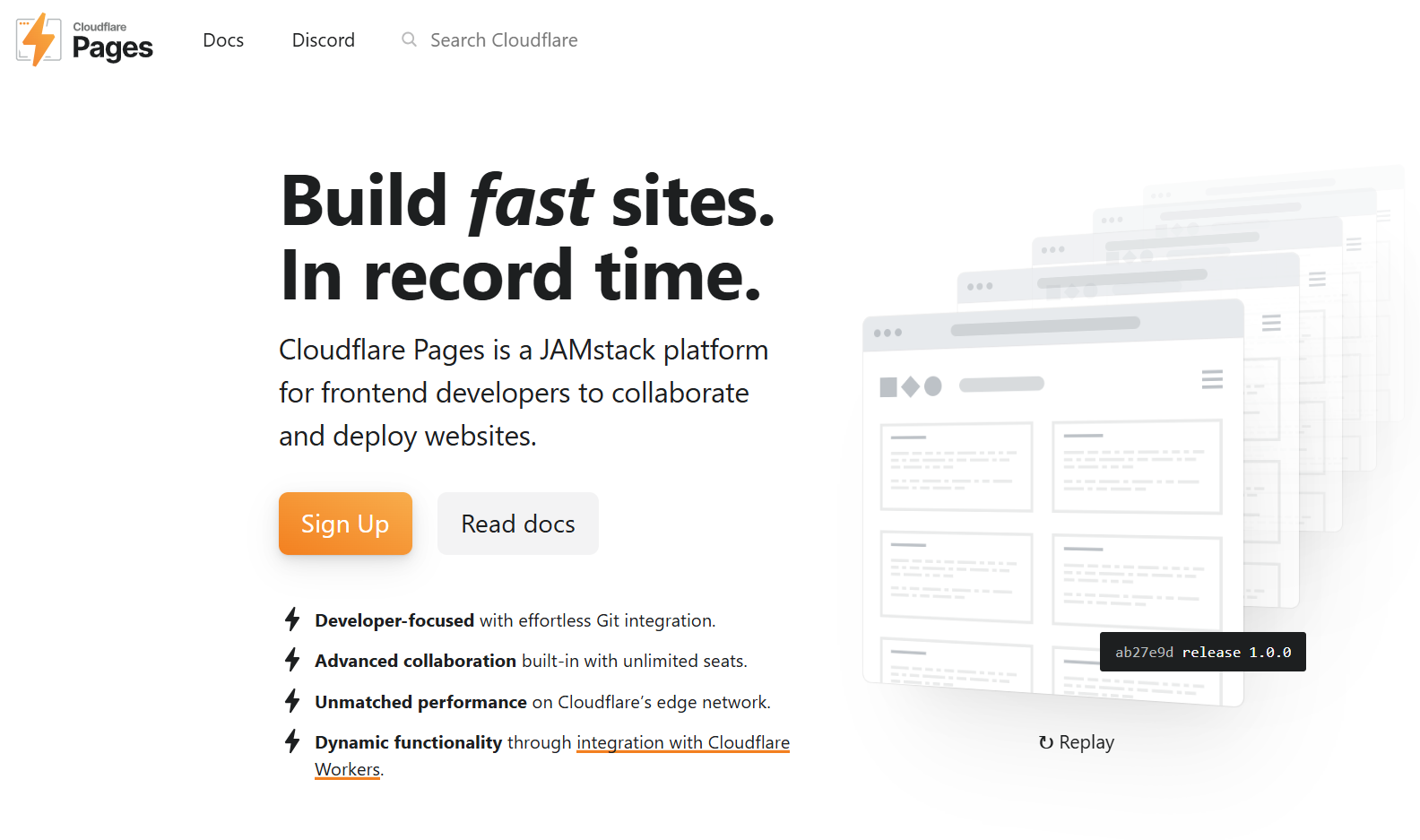
1. Cloudflare Pages
Best for: Most users. Unlimited bandwidth, global performance, no commercial restrictions.
Cloudflare Pages is the strongest free static hosting option available in 2026, and it is not particularly close. Built on Cloudflare’s network of 300+ edge locations across more than 100 countries, it serves your static files from the nearest node to every visitor on the planet.
What separates Cloudflare Pages from every other free host is its unlimited bandwidth policy. Netlify, Vercel, and GitHub Pages all cap free-tier bandwidth at approximately 100 GB per month. Cloudflare Pages has no cap. Whether your site gets 100 visitors a month or 100,000, you pay exactly $0 for hosting.
Key Features:
- Unlimited bandwidth. No cap, ever
- 500 builds per month on the free tier
- Unlimited sites
- Unlimited collaborator seats (team members are always free)
- Custom domains with automatic SSL
- Global CDN across 300+ cities
- Built-in DDoS protection and web analytics
- Serverless compute via Cloudflare Workers integration
- Git-based deployments from GitHub or GitLab
- No commercial use restrictions
Free Tier Limits: Unlimited bandwidth, unlimited sites, 500 builds/month.
Paid Plans: The Workers Paid plan starts at $5/month and unlocks higher build concurrency and Workers compute.
Best For: Any static site that might see variable or high traffic, business sites, marketing pages, and anyone who does not want to think about bandwidth bills.
2. Vercel
Best for: Next.js projects and frontend frameworks. Fast deploys, excellent developer experience.
Vercel is the hosting platform built by the team behind Next.js, and the integration shows. If you are building with Next.js, Nuxt, SvelteKit, Astro, or most modern frontend frameworks, Vercel delivers a developer experience that no other platform matches.
Every push to your Git repository triggers an automatic deploy. Every pull request gets its own isolated preview URL — a shareable link with a live version of your site before it goes to production. This workflow alone is worth a lot for teams doing code review.
Key Features:
- 100 GB bandwidth per month (free tier)
- 1 million serverless function invocations per month
- Automatic preview deployments per pull request
- Custom domains with automatic SSL
- First-class Next.js support (React Server Components, ISR, Partial Prerendering)
- Edge middleware and image optimization
- Global CDN
Free Tier Limits: 100 GB bandwidth/month, 1M function invocations/month, 4 hours Active CPU/month.
Important Restriction: Vercel’s Hobby (free) plan prohibits commercial use. Any site generating revenue, serving a business, or displaying ads must be on the Pro plan at $20/user/month. This is the most important caveat on this list — Vercel will enforce it.
Paid Plans: Pro at $20/user/month with higher limits and commercial use permitted.
Best For: Side projects, open-source sites, personal portfolios, and any developer building with Next.js on a non-commercial basis.
3. Netlify
Best for: JAMstack sites and teams that want built-in forms, identity, and a rich feature ecosystem.
Netlify pioneered the modern static hosting workflow and remains one of the most feature-complete platforms in the category.
Beyond hosting, it offers built-in form handling (add a single HTML attribute to any form and Netlify processes the submissions with no backend needed), user authentication via Netlify Identity, A/B testing between branches, and one of the best plugin ecosystems in the space.
In September 2025, Netlify migrated all new accounts to a credit-based pricing model, which replaced the previous bandwidth and build-minutes model. The free plan includes 300 credits per month. Credits are consumed by deployments (15 credits each), bandwidth (10 credits per GB), and compute from serverless functions.
The free tier is genuinely usable for personal projects, but it requires awareness: a site with any real traffic or frequent deploys can exhaust 300 credits faster than the old unlimited-build free tier would have.
Key Features:
- 300 credits per month on the free tier (approximately 20 deploys or ~30 GB bandwidth worth)
- Unlimited sites
- Custom domains with automatic SSL
- Built-in form handling (no backend required)
- Netlify Identity for user authentication
- Deploy previews for every pull request
- Continuous deployment from Git
- Split testing between branches
- Plugin ecosystem for build customization
Free Tier Limits: 300 credits/month (hard limit — site pauses when exhausted until next billing cycle).
Paid Plans: Personal at $9/month (1,000 credits), Pro at $20/month (3,000 credits, unlimited team seats as of April 2026).
Best For: Developers and small teams building JAMstack sites who want built-in forms and identity features without third-party services. Personal projects and prototypes.

4. GitHub Pages
Best for: Open-source projects, documentation, and developers already using GitHub.
GitHub Pages is the simplest free static hosting option on this list. Connect a repository, push your HTML files (or enable Jekyll, GitHub’s built-in static site generator), and your site is live at username.github.io/repo-name or your own custom domain.
There is no build configuration, no dashboard to learn, and no third-party account to manage. Your hosting lives right alongside your code in the same GitHub interface you are already using. For open-source project documentation or a personal developer portfolio, it is hard to argue against.
Key Features:
- Completely free for public and private repositories
- Custom domains with automatic SSL
- Jekyll support built-in (no separate setup required)
- Direct integration with GitHub repositories and Actions
- Automatic deploys on push to the configured branch
Free Tier Limits: 1 GB repository size, 100 GB bandwidth/month (soft limit, GitHub may throttle high-traffic sites), 10 builds per hour.
Important Restrictions: GitHub Pages is intended for static content only. Commercial use is technically permitted for personal and organization sites, but not recommended as the primary commercial infrastructure. Sites must be publicly accessible on free GitHub accounts.
Paid Plans: GitHub Pages is free. GitHub Pro ($4/month) unlocks Pages for private repositories on personal accounts.
Best For: Open-source project documentation, developer portfolios, and any project already living on GitHub. The zero-friction setup is unmatched for pure HTML/CSS/JS projects.
5. GitLab Pages
Best for: Teams already using GitLab for version control and CI/CD.
GitLab Pages is GitLab’s equivalent of GitHub Pages, and it is free for both public and private repositories hosted on GitLab.
What sets it apart from GitHub Pages is its deeper CI/CD integration. Because GitLab’s pipeline system is more configurable out of the box than GitHub Actions, teams with complex build requirements (multiple environments, custom runners, conditional deployments) often find GitLab Pages fits their workflow more naturally.
Key Features:
- Completely free for public and private repositories
- Custom domains with automatic SSL
- Full CI/CD pipeline integration via
.gitlab-ci.yml - Supports any static site generator (Hugo, Jekyll, Gatsby, Eleventy, Astro, etc.)
- Deployment environments and access controls
- Group-level pages for organization sites
Free Tier Limits: 10 GB project storage, 400 CI/CD minutes per month on the free tier.
Paid Plans: GitLab Free covers most use cases. GitLab Premium ($29/user/month) adds additional CI minutes and enterprise features.
Best For: Development teams already using GitLab, and projects that need robust CI/CD pipelines as part of the build process.
6. AWS Amplify Hosting
Best for: Developers in the AWS ecosystem and teams building full-stack serverless applications.
AWS Amplify Hosting is Amazon’s managed static and SSR hosting platform. It connects to your Git repository, runs your build process, and deploys your site to AWS CloudFront’s global CDN.
For developers already using AWS services (DynamoDB, Cognito, AppSync, Lambda), Amplify Hosting is the natural fit because it integrates with all of them out of the box.
The free tier is generous: 15 GB of data storage, 1 TB of data transfer per month, and 1,000 build minutes per month for the first 12 months. After the first year, pricing is usage-based (approximately $0.023 per GB stored, $0.15 per GB served).
Key Features:
- Global delivery via AWS CloudFront
- Continuous deployment from Git (GitHub, GitLab, Bitbucket, CodeCommit)
- Custom domains with automatic SSL
- Preview URLs for pull requests
- Built-in authentication via AWS Cognito
- Integration with AWS backend services (DynamoDB, Lambda, AppSync)
- Server-side rendering support
Free Tier Limits (first 12 months): 15 GB storage, 1 TB data transfer/month, 1,000 build minutes/month.
Paid Plans: Usage-based after the free tier, approximately $0.023/GB stored and $0.15/GB served per month.
Best For: Teams already invested in the AWS ecosystem, and projects that require tight integration with AWS backend services. Less ideal for developers who want a simple static host outside of AWS.
7. Firebase Hosting
Best for: Developers using Google’s Firebase backend services (Firestore, Auth, Functions).
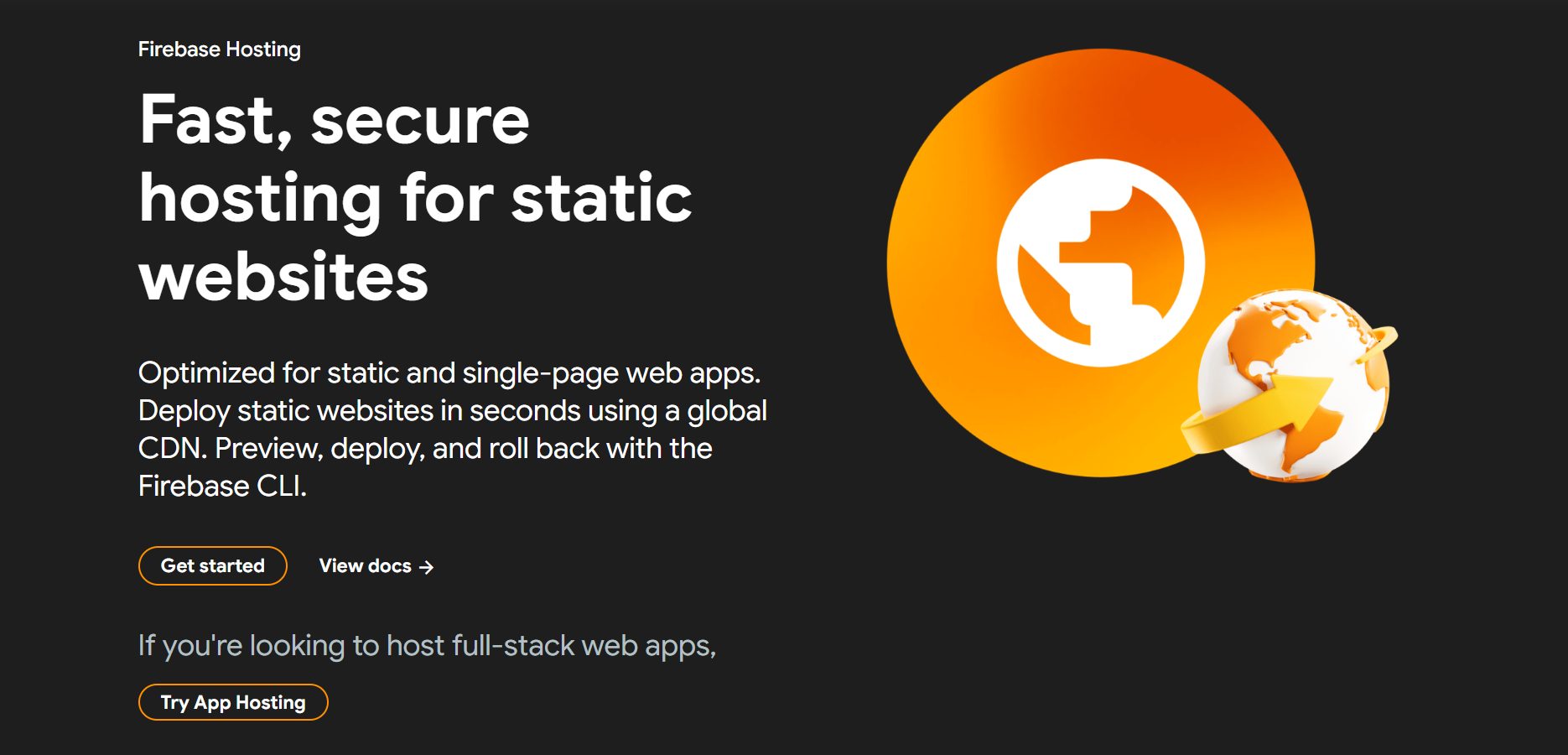
Firebase Hosting is Google’s web hosting service, designed primarily for web apps that use other Firebase services. If you are building a static site or single-page application backed by Firebase Authentication, Firestore, or Cloud Functions, hosting on Firebase keeps everything in one console with a consistent billing relationship.
The free Spark plan includes 10 GB of storage and 360 MB of data transfer per day (~10 GB/month), which is modest but workable for low-traffic projects. Firebase Hosting also supports custom domains, automatic SSL, and multi-site hosting from a single project.
Key Features:
- Custom domain support with automatic SSL
- Global CDN backed by Google infrastructure
- Multi-site hosting from a single Firebase project
- Version history and one-click rollbacks
- Integration with Firebase CLI and Google Analytics
- Serverless dynamic content via Cloud Functions
Free Tier (Spark Plan): 10 GB storage, ~10 GB data transfer per month (360 MB/day), 10 custom domains.
Paid Plans: Blaze plan is pay-as-you-go. Storage: $0.026/GB/month. Data transfer: $0.15/GB. A budget cap can be set to avoid unexpected bills.
Best For: Projects already using Firebase for authentication, database, or functions. Avoid using it as a standalone static host; the bandwidth limits are low relative to Cloudflare Pages and GitHub Pages.
8. Surge
Best for: Developers who want instant CLI-based deploys with zero configuration.
Surge is the most minimal hosting tool on this list, and that is its entire appeal. Install the Surge CLI, run surge it in your project directory, and your site is live at a surge.sh subdomain in under 30 seconds. There is no dashboard login, no Git repository to connect, no build configuration, just a command and a live URL.
The free plan supports custom domains, automatic SSL, and unlimited projects. The one limitation is that each deploy creates a new URL unless you explicitly specify your domain name in the CLI.
Key Features:
- One-command deploy from the terminal
- Custom domain support on the free plan
- Automatic SSL via Let’s Encrypt
- Unlimited projects on the free tier
- HTTP/2 and CDN support
Free Tier Limits: Unlimited projects, unlimited bandwidth (basic), custom domains.
Paid Plans (Surge Professional): $30/month for password protection, custom SSL certificates, CORS headers, and team collaboration.
Best For: Developers who want the fastest possible path from files to a live URL. Ideal for quick prototypes, demos, and one-off projects. Not ideal for teams or projects needing CI/CD integration.
9. Render
Best for: Static sites that may eventually need a backend, serverless APIs, or a database.
Render is a cloud platform that offers free static site hosting alongside free web services, background workers, and PostgreSQL databases. It is the cleanest path from a purely static site to a full-stack application without migrating hosting providers.
Static sites on Render are permanently free. You connect your Git repository, define a build command, and Render deploys your site on every push. Custom domains with SSL are included on all plans.
Key Features:
- Free static site hosting with no time limit
- Automatic deploys from Git (GitHub, GitLab)
- Custom domains with automatic SSL
- Pull request preview deployments
- Same platform for static sites and backends (Node.js, Python, Go, Docker)
- Free PostgreSQL database (1 GB, 30-day expiry on free tier)
Free Tier Limits: Static sites are always free. Bandwidth is subject to Render’s fair use policy.
Paid Plans: Static sites remain free. Backend services start at $7/month.
Best For: Developers who want a static site now but may want to add a backend API or database later without switching platforms.
10. Neocities
Best for: Personal websites, creative projects, and beginners learning HTML.
Neocities is a free web hosting service built around the spirit of the old open web. It is intentionally simple: upload your HTML, CSS, JavaScript, and image files through the web interface or CLI, and your site is live at username.neocities.org.
What Neocities lacks in advanced features, it makes up for in accessibility. There is no Git integration to set up, no CLI to install, no build process to configure. You can edit files directly in the browser’s built-in editor. For beginners learning HTML and CSS, it is the lowest-friction hosting option available.
Key Features:
- Free tier with 1 GB storage
- Simple file manager and browser-based editor
- HTML/CSS/JavaScript support
- Built-in usage analytics
- Active community of personal websites and creative projects
- Custom domain support (paid tier)
- CLI and API available for developers
Free Tier Limits: 1 GB storage, 200 GB bandwidth/month. Custom domains require the paid plan.
Paid Plans (Neocities Supporter): $5/month for custom domains, 50 GB storage, and 3 TB bandwidth.
Best For: Personal websites, creative projects, learners building their first HTML site, and anyone who finds modern deployment tooling more intimidating than helpful.
11. Carrd
Best for: Non-developers who need a single-page website without writing any code.
Carrd is a simple website builder, not a traditional static host, but it deserves a place on this list because it fills a specific gap: people who need a clean, professional one-page website and have no interest in touching code.
The free plan lets you publish up to three sites on carrd.co subdomains with no bandwidth limits. Sites are mobile-responsive by default, and the builder includes dozens of templates for portfolios, landing pages, bios, and product pages.
Key Features:
- Drag-and-drop site builder (no code required)
- Mobile-responsive templates
- Up to three free sites on the free plan
- No bandwidth limits on any plan
- Form integrations (Mailchimp, Formspree, etc.) on paid plans
- PayPal and Stripe payment integrations on paid plans
Free Tier Limits: Up to 3 sites, Carrd subdomain only (no custom domain), no forms, no analytics.
Paid Plans: Pro Lite at $9/year, Pro Standard at $19/year, Pro Plus at $49/year. Custom domains start on Pro Lite.
Best For: Freelancers, creators, and small businesses who need a simple one-page site without writing HTML. The best no-code option on this list.
12. InfinityFree
Best for: Beginners who want traditional PHP/MySQL hosting for free, with static site support.
InfinityFree is different from every other platform on this list: it is traditional web hosting (PHP, MySQL, cPanel) offered entirely for free. If you need to host a static website but also want the option to run a WordPress site, a PHP script, or a database-backed application on the same account, InfinityFree gives you that flexibility without paying.
The free plan includes unlimited disk space and bandwidth (within fair use), free SSL, and support for custom domains. Performance is slower than a dedicated static host like Cloudflare Pages, and the server infrastructure is shared, so it is not a choice for high-traffic sites.
Key Features:
- Unlimited disk space and bandwidth (fair use)
- Free SSL via Let’s Encrypt
- Custom domain support
- cPanel control panel
- MySQL databases
- PHP support
- One-click installer for WordPress, Joomla, and others
Free Tier Limits: Unlimited disk and bandwidth under fair use policy. Some restrictions on inodes (number of files) apply.
Paid Plans: Premium hosting plans via iFastNet starting at $3.99/month.
Best For: Beginners who want traditional hosting with the option to run PHP applications. Not the best choice for pure static sites where performance matters — use Cloudflare Pages or GitHub Pages instead.
Quick Comparison: All 12 Free Tiers at a Glance
| Platform | Free Bandwidth | Custom Domain | Commercial Use | Best For |
|---|---|---|---|---|
| Cloudflare Pages | Unlimited | ✅ Free | ✅ Yes | Most static sites |
| Vercel | 100 GB/month | ✅ Free | ❌ No (Hobby plan) | Next.js, frontend frameworks |
| Netlify | ~300 credits/mo | ✅ Free | ✅ Yes | JAMstack, forms, identity |
| GitHub Pages | 100 GB/month | ✅ Free | ✅ Limited | Docs, portfolios, OSS |
| GitLab Pages | Similar to above | ✅ Free | ✅ Yes | GitLab CI/CD workflows |
| AWS Amplify | 1 TB/month (yr 1) | ✅ Free | ✅ Yes | AWS ecosystem |
| Firebase Hosting | ~10 GB/month | ✅ Free | ✅ Yes | Firebase app backends |
| Surge | Unlimited (basic) | ✅ Free | ✅ Yes | CLI-first quick deploys |
| Render | Fair use | ✅ Free | ✅ Yes | Static + future backend |
| Neocities | 200 GB/month | Paid only | ✅ Yes | Personal, creative sites |
| Carrd | Unlimited | Paid only | ✅ Yes | No-code one-page sites |
| InfinityFree | Unlimited (fair use) | ✅ Free | ✅ Yes | PHP/traditional hosting |
How Static Hosting Works
When you publish a static site, your build process (if any) generates a set of flat files: HTML, CSS, JavaScript, images, and fonts. You push these files to the hosting platform, which distributes them to its CDN edge nodes.
When a visitor requests your site, their browser sends a request to the nearest CDN edge location. The edge server retrieves the file from cache and sends it to the browser. No database query. No application server. No server-side rendering at request time. The page loads as fast as the CDN can serve a file, which is typically under 50 milliseconds from a nearby node.
This architecture is why static hosting is so fast, so affordable, and so scalable. Serving a static file requires almost no compute. Whether one person or one million people visit your site, the infrastructure cost is essentially the same.
Advantages of Free Static Site Hosting
Speed. Static files served from a CDN edge node load faster than dynamically generated pages from an application server. There is no database query, no server-side rendering, and no PHP or Node.js process to spin up on every request.
Security. Without a backend, there is no database to SQL-inject, no admin panel to brute-force, and no server-side application to exploit. The attack surface of a static site is minimal.
Reliability. CDN-hosted static files are highly available by design. There is no application server to go down under load, and most major CDNs offer 99.9%+ uptime SLAs even on free tiers.
Cost. Hosting a static site costs nothing on the platforms listed here. There are no server costs, no managed database bills, and no runtime fees.
Scalability. A static site hosted on Cloudflare Pages handles the same traffic at the same cost whether it serves 100 or 1 million visitors a month.
Disadvantages of Free Static Site Hosting
No dynamic content at request time. Static sites cannot generate personalized content, process form submissions, or query a database on page load without third-party services (JavaScript-based APIs, Netlify Forms, Formspree, etc.).
No server-side sessions. User authentication requires a JavaScript-based authentication service (Firebase Auth, Auth0, Supabase Auth) rather than traditional session-based authentication.
Build step required for complex sites. Sites built with static site generators (Hugo, Eleventy, Astro) require a build step that compiles templates into HTML. Most platforms handle this automatically, but it adds complexity compared to uploading raw HTML files.
Bandwidth caps on some free tiers. Vercel, Netlify, and GitHub Pages cap free bandwidth at approximately 100 GB/month. For most small sites, this is more than enough, but viral content can exhaust the limit in hours.
Which Free Static Host Should You Choose?
Choose Cloudflare Pages if you want the most generous free tier with no bandwidth cap, the best global performance, and no commercial use restrictions. It is the right choice for the majority of static sites in 2026.
Choose Vercel if you are building with Next.js or a modern frontend framework and your project is non-commercial. The developer experience is the best in the category.
Choose Netlify if you need built-in form handling or user authentication without a separate backend service.
Choose GitHub Pages if your site is already in a GitHub repository and you want zero additional accounts or configuration.
Choose GitLab Pages if your team uses GitLab and you want deep CI/CD pipeline integration.
Choose AWS Amplify if you are building in the AWS ecosystem and want tight integration with AWS backend services.
Choose Firebase Hosting if you are already using Firebase for your app’s backend.
Choose Surge if you want the fastest path from files to a live URL with a single terminal command.
Choose Render if you want static hosting today with the option to add a backend later on the same platform.
Choose Neocities if you are a beginner learning HTML and want the simplest possible interface.
Choose Carrd if you need a one-page site and do not want to write any code.
Choose InfinityFree if you need traditional PHP hosting and static site support on the same account.
Frequently Asked Questions
What is the best free hosting for static websites in 2026?
Cloudflare Pages is the best free static site host for most users in 2026. It offers unlimited bandwidth, 500 free builds per month, unlimited sites, global CDN coverage across 300+ cities, no commercial use restrictions, and no credit card required.
Is Vercel free for static websites?
Yes, Vercel’s Hobby plan is free for static websites. However, the Hobby plan prohibits commercial use. Any site that generates revenue, serves a business purpose, or displays advertising must be on the Pro plan at $20/user/month.
Is Netlify still free in 2026?
Yes. Netlify offers a permanently free plan. In September 2025, Netlify moved to a credit-based pricing model. The free plan includes 300 credits per month, which is consumed by deployments, bandwidth, and serverless function compute. The free tier is usable for personal projects and low-traffic sites.
Can I use a custom domain with free static hosting?
Most free static hosts support custom domains, including Cloudflare Pages, Vercel, Netlify, GitHub Pages, GitLab Pages, AWS Amplify, Firebase Hosting, Surge, Render, and InfinityFree. Neocities and Carrd require a paid plan for custom domains.
What happened to Gatsby Cloud?
Netlify acquired Gatsby in February 2023 and shut down Gatsby Cloud later that year. The Gatsby framework continues to be maintained, but the Gatsby Cloud hosting product no longer exists. Existing Gatsby projects can be hosted on Netlify, Cloudflare Pages, Vercel, or any other platform that supports Node.js build processes.
Is free static hosting fast enough for a real business site?
Yes. Cloudflare Pages serves your site from one of 300+ edge locations worldwide, meaning visitors load your pages from a server physically close to them. For a well-optimized static site, sub-100ms time-to-first-byte is achievable on the free tier. Many production business sites run on free static hosting plans.
What is the bandwidth limit for free static hosting?
Cloudflare Pages: unlimited. GitHub Pages: 100 GB/month (soft limit). Vercel Hobby: 100 GB/month. Netlify Free: approximately 30 GB/month equivalent under the credit model. Firebase Hosting Spark: approximately 10 GB/month. Neocities: 200 GB/month.
Conclusion
Free static site hosting in 2026 is not a compromise. The best free tiers (Cloudflare Pages, especially) are better than what you would have paid for just a few years ago.
If you are starting from scratch, start with Cloudflare Pages. Unlimited bandwidth, unlimited sites, global CDN, no commercial restrictions, and no credit card. It is the easiest choice for the largest number of people.
If you are building a Next.js project and commercial use is not yet a concern, Vercel’s developer experience is second to none. If you need forms and identity without a backend, Netlify is purpose-built for that. And if your code already lives on GitHub, GitHub Pages requires zero additional setup.
The right answer depends on your stack, your team, and your traffic expectations. But for most static sites in 2026, the right answer is free.
SaaSXtra is an independent B2B SaaS publication. Pricing information was verified against official platform documentation and may change. Always verify current pricing on the platform’s official website before making a decision.

Adeyemi Adetilewa is a digital marketing specialist focused on SaaS, marketing, and online business. He leads the editorial direction at SaaSXtra.com and has driven over 10M+ content views through strategic content marketing. His work has been published and trusted by platforms including HackerNoon, HuffPost, Addicted2Success, and others.