
A ten-person company does not necessarily need ten paid collaboration software tools. It may already pay for the chat and video tools it is comparing. And the lowest price on a vendor’s website may require a commitment that costs more when the team shrinks.
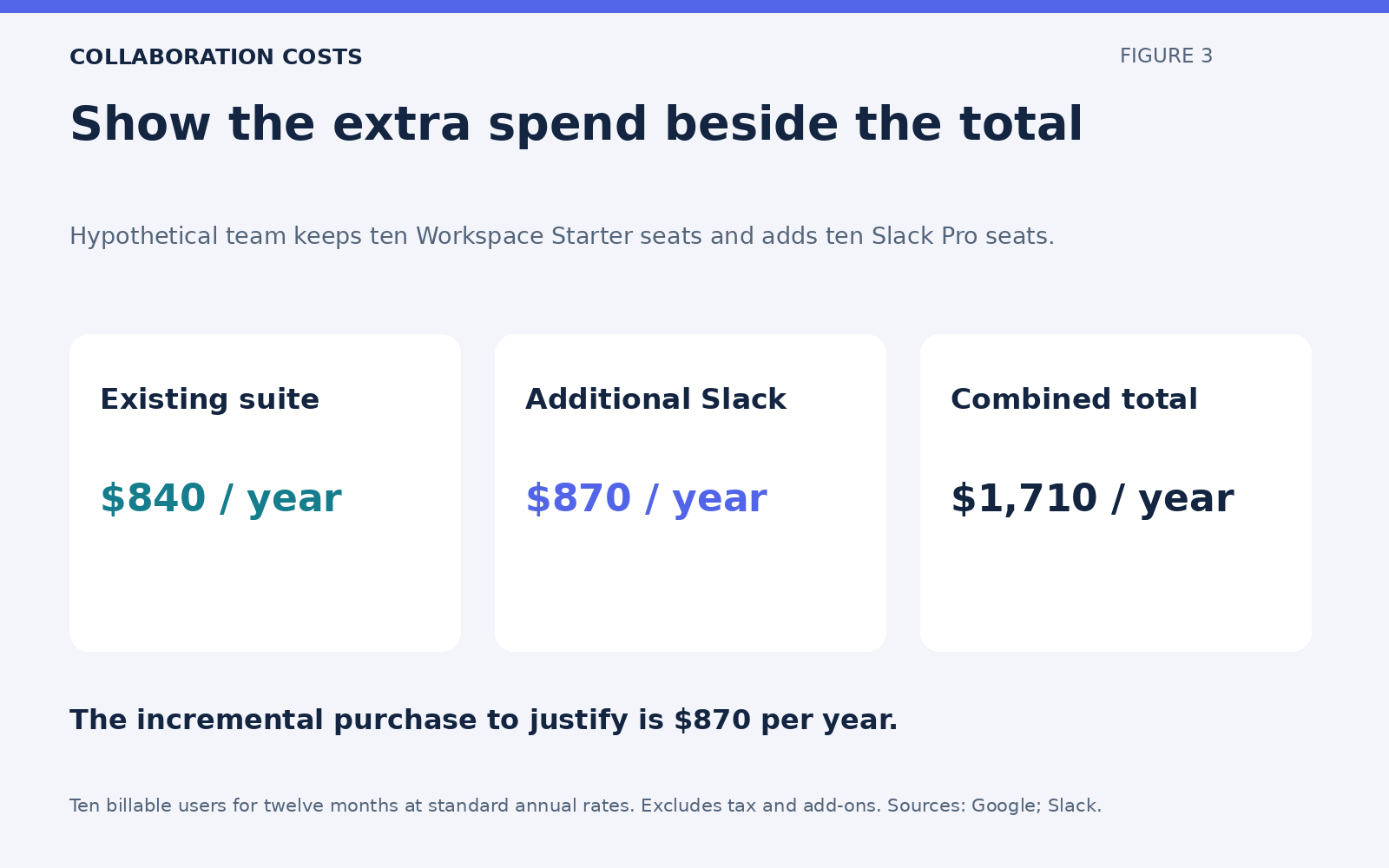
For example, adding ten Slack Pro seats to an existing Google Workspace Business Starter subscription produces a combined annual bill of $1,710 at the standard US annual rates used here. The new purchase is $870; the other $840 is already being spent. A buyer needs both figures to judge the proposal.
True Costs of Collaboration Software Tool for A Small Team
This guide shows how to build a complete budget before choosing a collaboration software tool, using hypothetical teams, published US prices, and explicit assumptions. The aim is to identify the licenses and features of a collaboration software tool your business needs, then account for the subscriptions you can actually retire. The examples are calculations, not customer spending data or firsthand product tests.
1. Start with the work your team needs to complete
Write down one ordinary week before opening a pricing table. Who hosts customer meetings? Who needs an individual company email address? Where do proposals live? Do clients need to edit documents, or only see a shared screen? Who needs access to recordings afterward?
For a small consultancy, a useful requirement could be: two account managers run hour-long client meetings, all ten employees use shared documents, and the operations manager must retrieve a recording when a client disputes an instruction. A ten-person retailer could have a different pattern, with one owner hosting supplier calls and most staff needing only occasional updates.
Those businesses have the same headcount and different licensing needs. Treat the workflow as the specification. A feature that nobody uses should not decide the purchase, while a missing requirement that interrupts client work can outweigh a modest subscription saving.
2. Count users, hosts, and guests separately
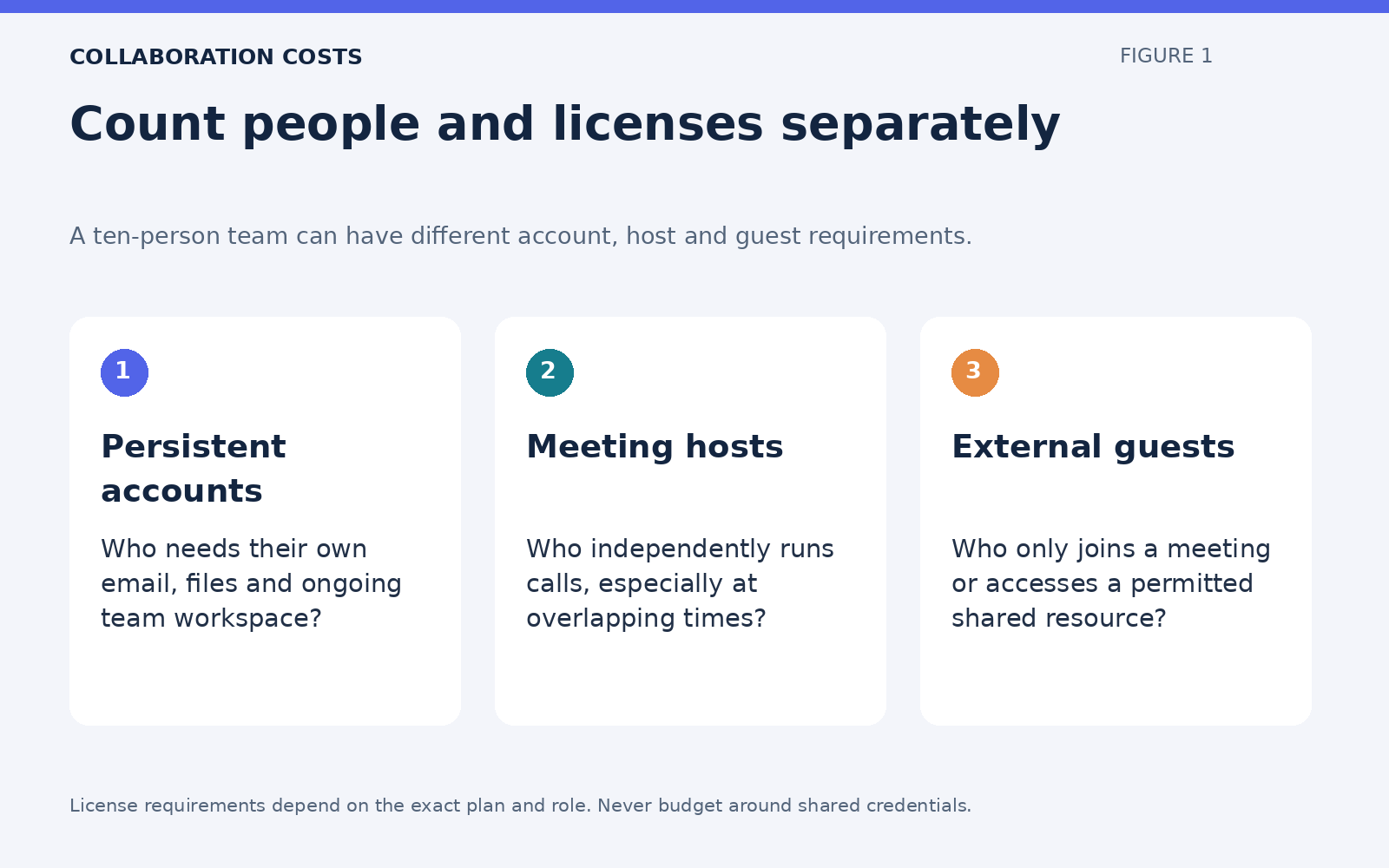
Create three counts: employees who need persistent accounts, people who independently organize meetings, and external participants. Do not put every person into the same paid-seat column automatically.
Microsoft 365 and Google Workspace are suites priced around licensed users. Slack’s self-service billing policy centers on active members. A meeting service can instead make the host’s license central to the meeting’s entitlements. These are different units of purchase, even when each price ends with the words per month.
For example, Zoom documents that meeting duration depends on the host’s license. It also limits each Basic user and each licensed user on a Pro account to one meeting at a time. Counting attendees therefore does not tell you how many independent, overlapping meetings your business can run.
Build a host schedule for a typical busy day. If two colleagues regularly run separate calls at the same time, a single named host account is not an adequate operating plan. Do not budget around shared credentials or assume you can freely move licenses between people. Check named-user rules, backup-host requirements, and administrator controls for the exact offer.
3. Put comparable prices on the same basis
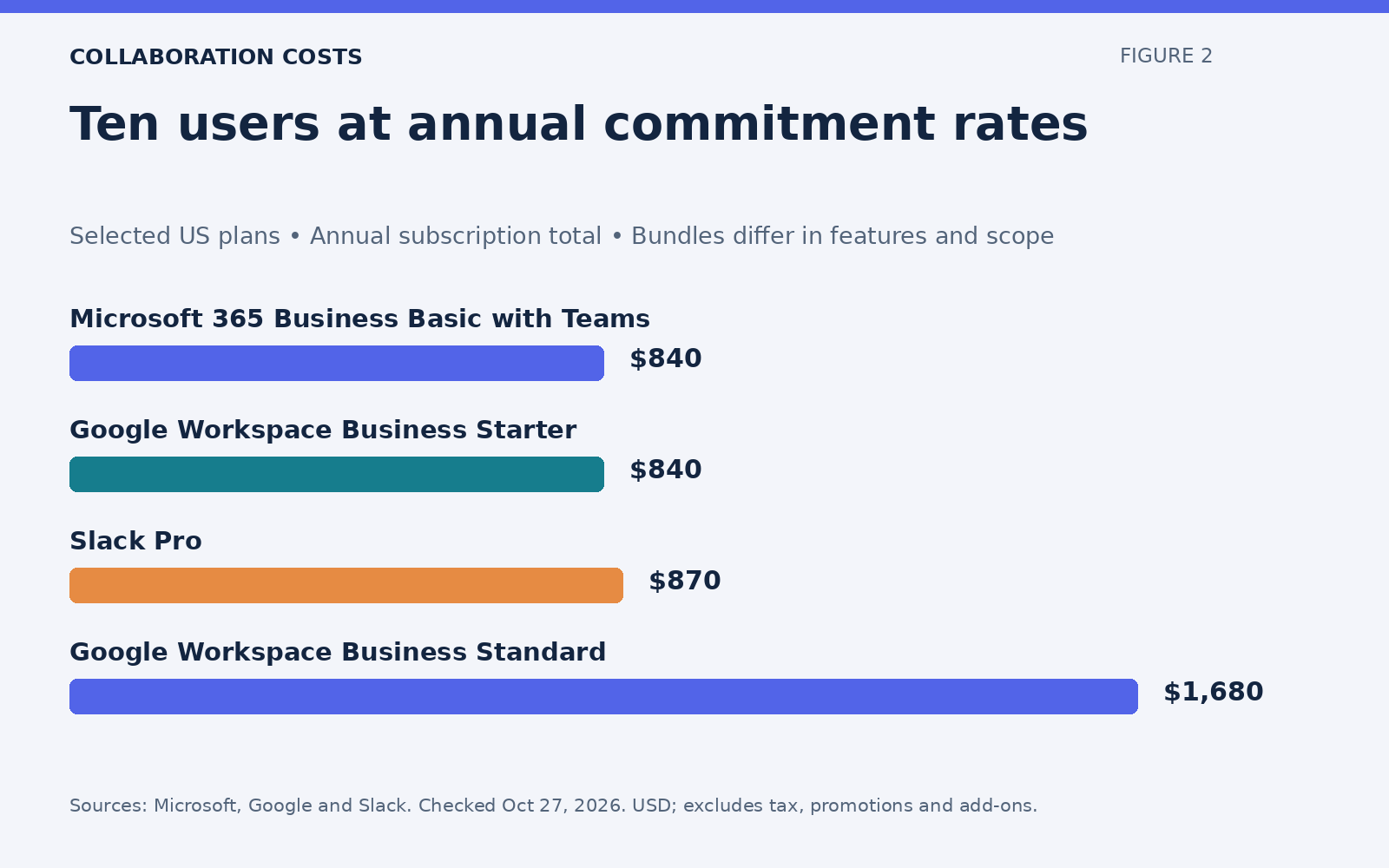
The examples below use US dollars, ten licensed users, and standard annual-commitment rates checked on October 27, 2026. Taxes, temporary promotions, add-ons, negotiated discounts, and implementation work are excluded. The monthly equivalent helps with comparison; it does not mean the subscription can be cancelled monthly.
| Selected plan | Per user per month with annual commitment | Ten users per year |
|---|---|---|
| Microsoft 365 Business Basic with Teams | $7.00 | $840 |
| Google Workspace Business Starter | $7.00 | $840 |
| Google Workspace Business Standard | $14.00 | $1,680 |
| Slack Pro | $7.25 | $870 |
These plans are not equivalent bundles. Slack Pro is an additional collaboration purchase if your business still needs its existing email and office suite. The two Google editions also have different meeting features.
Do not rank this table from cheapest to best. Instead, cross out options that cannot satisfy the workflow, then compare the complete configurations that remain. A smaller number attached to the wrong bundle can produce a larger final bill.
4. Separate your existing bill from the extra spend
Suppose all ten employees already have Google Workspace Business Starter and the company intends to keep it. At the annual rate above, that is $840 per year. Adding ten Slack Pro seats brings the combined recurring subscription cost to $1,710 per year. The incremental purchase is $870, assuming ten billable members for the full year.
That does not make Slack a poor choice. It makes $870 the extra spend the owner must justify with a specific benefit: a necessary partner workflow, better adoption, or less time lost searching for decisions. Buying it because the headline seat price seems small is a weaker case.
Now consider a company already using a Microsoft 365 subscription. Check the exact edition on the invoice before adding a separate meeting product. Microsoft sells Business Basic with Teams and without Teams. Similar product names can obscure a meaningful difference in what the company already owns.
An included tool can have zero incremental license cost while the underlying suite still costs money. Keep both numbers in the proposal. Describe a subscription as retired only when you can end it, remove its recurring charge, and still meet the requirements. Overlap during a contract term is a real cost.
5. Price the requirement that forces an upgrade
Recording is a useful example. Google’s Business-edition comparison lists meeting recording for Business Standard and Business Plus, but not Business Starter. A buyer who needs native recording should not assume that paying for Starter solves the requirement.
If this hypothetical company upgrades all ten users from Starter to Standard at the published annual rates, the increase is $840 per year. That is a whole-team upgrade example, not a statement that every organization must upgrade every user or that selective licensing is always available. Confirm your eligible purchasing configuration with Google or your reseller.
Consider a separate meeting-service quote as another option. Assume, solely for this illustration, that it costs $20 per named host per month with no annual commitment. Two hosts would cost $480 per year if retained for twelve months; ten hosts would cost $2,400. This $20 input is hypothetical and is not a quoted Zoom price.
At that assumed rate, three hosts cost $720 per year and four cost $960. The subscription-only break-even against the $840 suite upgrade is therefore between three and four hosts. But the cheaper configuration is useful only if its recording, storage, permissions, guest access, and scheduling rules meet the requirement. The suite upgrade may also provide value beyond recording. Compare the actual alternatives, not just one isolated feature.
6. Read the commitment as carefully as the price
An annual commitment and monthly payment are different things. Google’s Annual/Fixed-Term plan permits monthly or yearly billing, but licenses generally cannot be reduced until renewal. Its Flexible plan allows user accounts to be added or removed during the term.
Here is an illustrative staffing change using Business Starter rates. Ten seats for twelve months at $7 cost $840. If the team instead uses the $8.40 Flexible plan for ten people during six full months and four people during the following six, the modeled cost is $705.60. The higher unit price produces the smaller total because the assumed billable population drops. Exact invoices depend on timing and the applicable billing rules.
Slack’s Fair Billing Policy can credit inactive members under its self-service rules, but credits are not the same as a cash refund or permission to ignore a contract. Read the applicable policy before treating unused seats as immediate savings.
For each shortlist option, record the payment schedule, commitment end date, cancellation window, renewal amount, and what happens when people leave. Ask for a written quote when the checkout screen or reseller offer differs from the public rate.
7. Include the costs that never appear in the pricing card
A workable budget includes migration and administration. Estimate who must transfer files, configure access, reconnect calendars, explain the new workflow, and help clients join. Put hours beside those tasks and use an internal hourly cost that your business accepts.
Keep assumptions visible. If an owner estimates eight hours of setup at $40 per hour, that is a $320 planning allowance, not a vendor fee or an observed industry average. The same discipline applies to training and support. Avoid turning an unsupported productivity promise into precise annual savings.
Check storage and retention separately. Being able to record a call does not establish how long you can keep it, who can access it, or whether the required storage is included. External file sharing, telephone calling, larger meetings, and advanced administration may also change the configuration you need. Verify the relevant tier before assigning a cost.
Finally, budget any overlap between old and new subscriptions. A migration that takes two months can erase a first-year saving if both services remain payable. Show first-year transition cost and steady-state annual cost as separate figures.
8. Test one complete buyer workflow before committing
A small pilot should answer the questions behind the budget. Use fictional business content and a consenting colleague or separate guest context. Schedule a meeting, invite an external attendee, share a proposal, save the required output, and check who can retrieve it later.
Record the exact plan and date beside each finding. Note where the guest needs an account, where an administrator must intervene, and which promised feature is unavailable. If you use a trial, confirm that the paid plan you intend to buy includes the same capabilities after the trial ends.
A brief evidence sheet with actual outcomes can reveal a mismatch between a pricing assumption and a usable workflow. For example, a client who cannot open the shared proposal exposes an access problem that the subscription total alone would miss. Record what happened and whether it can be resolved within the selected plan. Keep documentation checks separate from features you actually tested.
9. Present a decision the owner can check
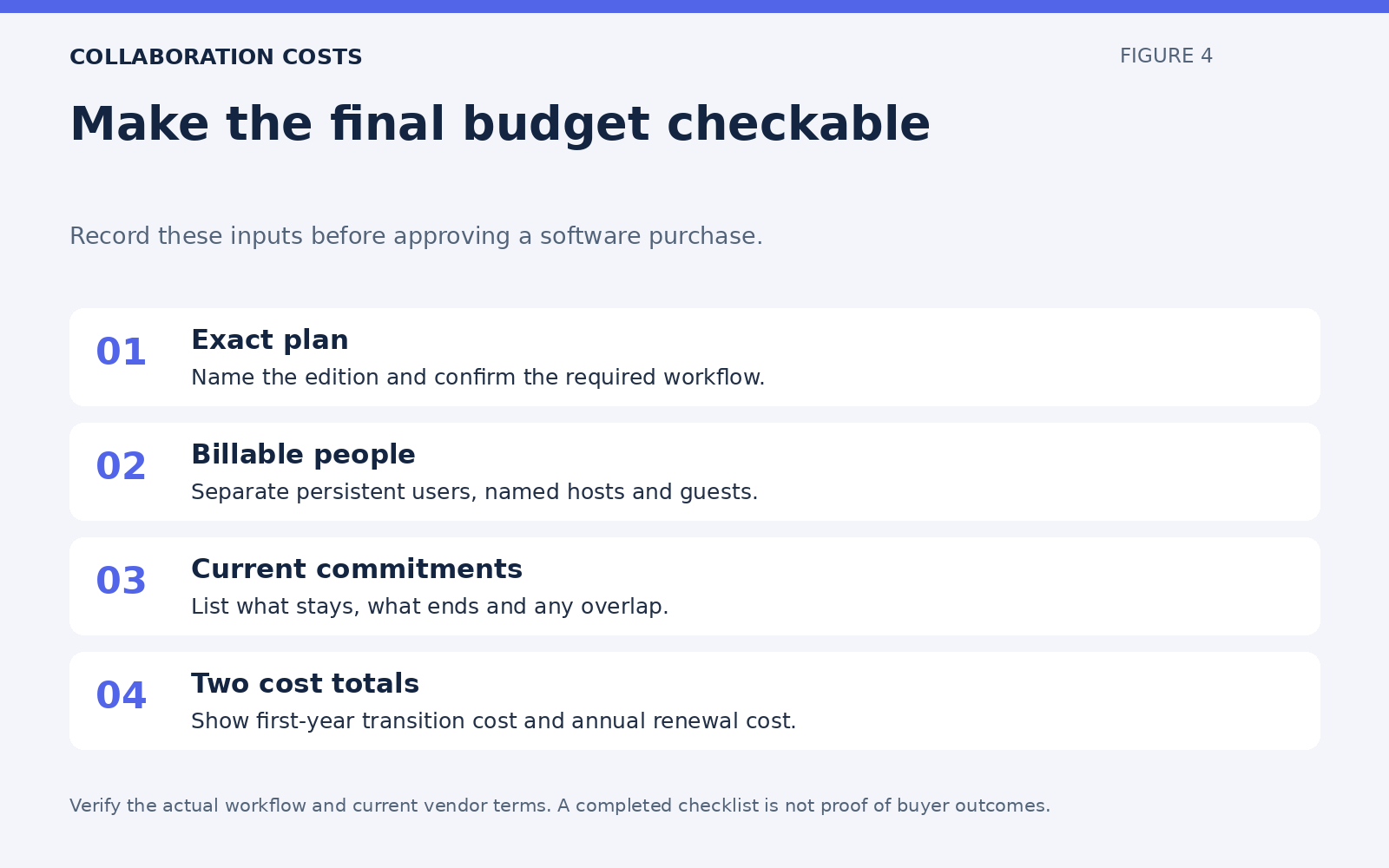
Finish with a one-page recommendation containing the required workflow, exact plan, seat and host counts, first-year cost, renewal cost, and unresolved limitations. Name the subscription that will remain, the one that will be retired, and the person responsible for the rollout.
For a side-by-side look at the two office ecosystems, the Google Meet versus Microsoft Teams guide and calculator at CloudApp Critic lets readers explore selected plans and licensing assumptions. Use it as a starting model, then confirm the vendor’s current offer and your own account conditions before buying.
Conclusion
The best fit is the configuration that completes the work at an acceptable total cost. For a ten-person team, the decisive inputs are often the number of independent hosts, what the business already owns, and the feature that changes the required plan. Get those right before multiplying a price by ten.

Biftu Jiru is the Founder & Editor of CloudApp Critic, an independent resource helping small businesses discover, evaluate and choose software. He focuses on practical comparisons, transparent pricing and the assumptions behind software-buying decisions.