
Most early-stage SaaS teams think “more content” or “more backlinks” when SEO stalls. Internal links get pushed to “later,” if they are considered at all.
The catch: b2b saas internal linking is often the fastest way to turn existing content into a qualified pipeline. You already paid for the pages; now you just need to connect them in a way that matches how buyers think.
This is a solution-education guide. You know SEO matters, you know organic growth should be cheaper than paid, and you want a practical way to fix internal links without building a big SEO org.
The Problem: Internal Links Are Random, Not Strategic
On most B2B SaaS sites, internal links grow like weeds, not like a garden.
- Old blog posts point to dead features.
- High-intent pages like pricing and demo are hard to reach from the top content.
- Case studies sit in a lonely “Resources” folder that nothing links to.
Search engines see a messy map, not a clear structure. Users feel it too, bouncing around instead of following a predictable path to sign up.
Over time, this wastes traffic, content budget, and sales opportunities.
What Is Broken And Who Feels It
What is broken
- No clear “pillar” pages for core topics
- Blog posts that do not link to each other or to the product
- Navigation that favors org chart, not buyer journey
- Legacy redirects and broken links everywhere
Your strongest pages do not share their authority with the ones that actually convert. That caps rankings and limits organic lead flow.
Who feels it most
- The founder is doing both product and marketing
- First growth hire juggling content, paid, and ops
- RevOps generalist trying to make sense of messy analytics
They see traffic, but not the pipeline. They feel pressure to “produce more” instead of “connect better.”
Why does it get worse as you scale
Every new post, feature page, and integration page adds complexity. Without a model, internal linking becomes:
- Writer-by-writer preference
- CMS auto-suggestions
- Whatever someone remembers at publish time
By the time you pass 100 URLs, fixing this without a plan is painful.

Internal Linking Tactics: Why Common Approaches Fail
Manual linking in the CMS
Relying on writers to add links on the fly sounds simple. It fails because:
- They focus on finishing the article, not the network
- They do not see older pages that should receive links
- Anchor text is inconsistent or vague
You end up with scattered, shallow links that do not build topic authority.
Spreadsheet “link maps.”
Some teams try to solve this with a giant spreadsheet that tracks every page and target links.
It looks organized for two weeks, then:
- Nobody updates it
- New content is missing
- The sheet and the live site drift apart
You add process, but not real control.
Over-engineering site architecture
Others swing to the opposite extreme with complex URL taxonomies and deep folder structures.
If your site has fewer than 300 URLs, this usually:
- Slows publishing
- Confuses the team
- Does little for rankings compared to basic topic clusters
Structure matters, but only to the point where it supports simple linking.
Premature “SEO automation” tools
Internal linking plugins or SEO suites can help, but early teams often buy them too soon.
Typical issues:
- Auto-links spam the same anchor everywhere
- Tools suggest off-topic links
- Nobody has time to tune rules or review suggestions
You can even create problems like over-optimization or links to low-value pages. Tools amplify the structure you already have, good or bad.
For a quick view of common SEO pitfalls, including “not creating links,” this summary of Common SaaS SEO mistakes to avoid is worth a skim.
Best Internal Linking Tactics That Actually Work
Process before software: simple topic clusters
Start with a lightweight process, not a tool.
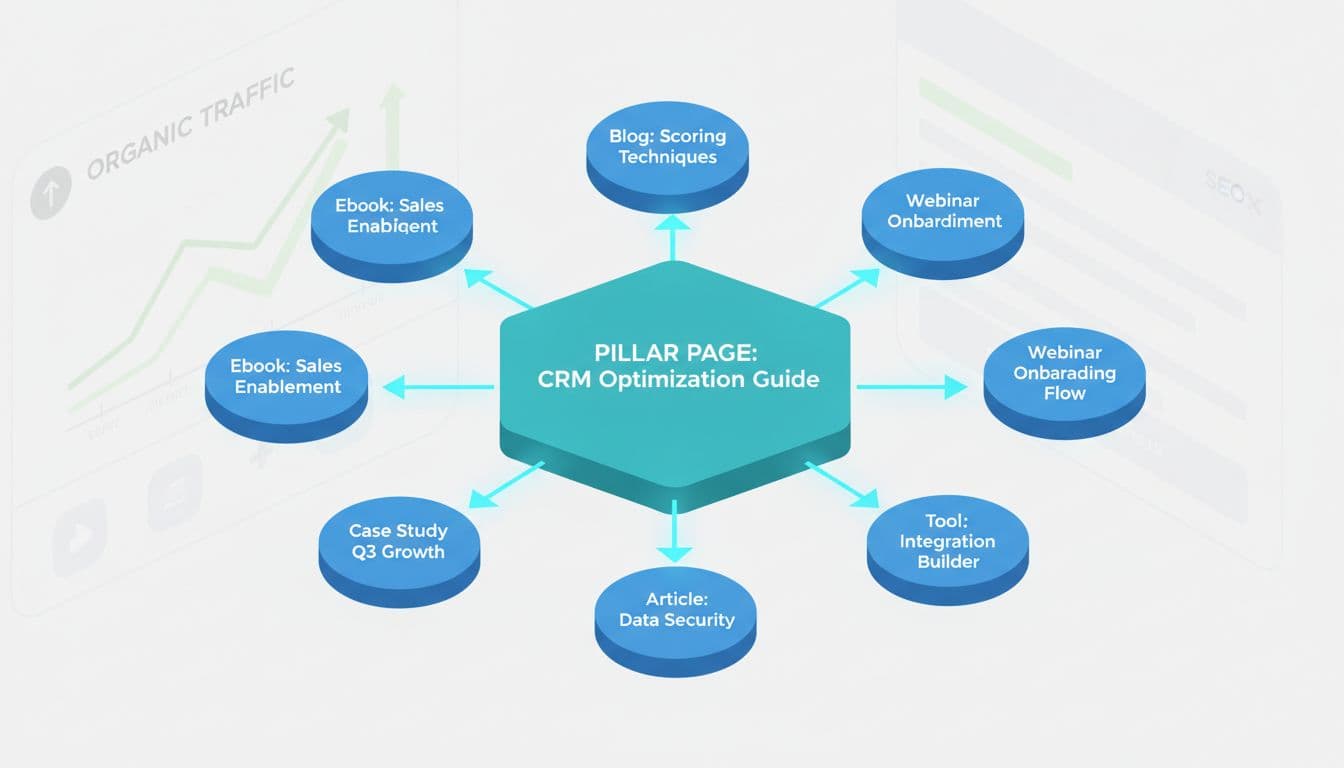
1. Pick 3–5 core topics: Example: “SaaS onboarding,” “RevOps analytics,” “integrations.”
2. Create or identify one pillar page per topic: Long-form guides or core solution pages that you want to rank.
3. Map 5–15 supporting pages to each pillar: Blog posts, feature pages, case studies, comparison pages.
4. Define linking rules for every new piece:
- Each new article links to its pillar once, with clear anchor text
- It links to 2–3 sibling articles in the cluster
- Pillar links down to key supporting pages
This “topic cluster” model is now standard advice in advanced guides like The Advanced Guide to B2B SaaS SEO and works well in 2025 because it builds topical authority and clean crawl paths.
Pair this with clear, human-first anchor text. Instead of “here” or “this post,” use phrases like “SaaS onboarding checklist” or “RevOps dashboard examples.”
Constraints and trade-offs
For small teams, the right internal linking process:
- Adds no more than 5–10 minutes per new piece
- Can be done by any marketer or writer with light training
- Does not require a full technical SEO audit to start
You trade perfect coverage for consistent, compounding wins on your most important topics.
Stage-appropriate guidance
Pre-Product-Market Fit
- Keep it very light
- One simple “Resources” hub plus links to signup or waitlist
- Focus on learning, not scaling SEO
Seed to Series A
This is where structured b2b saas internal linking starts to pay off.
- Define 3–5 pillars tied to your ICP’s problems
- Standardize internal linking in your content brief template
- Use Search Console to find top pages and add links to product, pricing, and case studies
If you are already investing in content, connect it to your inbound funnel. This guide on inbound content marketing strategies for SaaS pairs well with a cluster-based internal linking plan.
Solution Types, Buying Criteria, And Red Flags
Solution categories
Think in tool types, not brand names first:
- Analytics and crawling tools to see where links exist now
- CMS helpers or plugins that surface related content while you edit
- SEO platforms that highlight orphan pages and internal link gaps
- Documentation or playbooks that encode your internal linking rules
For tactical inspiration focused only on linking, see the SaaS-specific guide on internal linking best practices.
Buying criteria
Before you spend, check:
- Do we have at least 50–100 live URLs?
- Do we publish at least 2–4 pieces a month?
- Does someone own an SEO process, even part-time?
If the answer is no, start with Search Console plus a simple manual audit of your top 20 pages.
When you are ready, pay for tools that:
- Let you filter by “no internal links to this page.”
- Show link counts by URL and anchor text
- Integrate with your CMS or content workflow
Red flags
Skip or delay tools that:
- Auto-insert links sitewide with no review
- Encourage exact-match anchor text everywhere
- Require a full-time SEO to drive value
If you are still fixing basic navigation and UX, deal with that first. These SEO tips to improve web design help your internal links work better by making the paths obvious.
When To Act, Budget, And Next Steps
When to act
Do this now if:
- Organic traffic is growing, but signups are flat
- You have 50+ pages and no internal linking rules
- New writers ask, “What should I link to?” on every brief
You can wait if you are still below 20 URLs and have not proven any content theme yet.
Budget expectations
For a Seed–Series A team:
- 0 to low software spend at first
- 5–10 hours to audit and fix your top 30–50 pages
- Ongoing 10 minutes per new piece to keep links clean
Only move to paid SEO suites when you have a steady content cadence and someone who will use reports weekly.
Next step CTA
Start with a quick internal link audit of your top 20 organic pages, then decide which should drive traffic to product, pricing, demos, or landing pages. If you are testing offers, you might want to compare options in this review of the best landing page builders for SaaS conversions, then connect your top content directly to those pages.
Conclusion: Internal Links Turn Content Into Pipeline
Backlinks and fresh content get most of the attention, but b2b saas internal linking often decides whether that traffic turns into pipeline or just vanity metrics.
For a lean, founder-led team, you do not need a big SEO stack. You need a clear structure, a few pillar topics, consistent internal links, and a simple process your team can follow every time they hit publish.
Treat your internal links as the wiring that powers your content engine, and your existing pages can start working harder long before you write the next blog post.

SaaSXtra.com is a SaaS product review and software marketing blog for business startups. For questions and inquiries on the blog, please send an email to the Editor at saasxtra[at]gmail[dot]com.